
Metadata Retention
Certain types of metadata in Ataccama ONE grow continuously over time and can degrade performance, increase storage costs, and slow down the application.
Metadata retention lets you define how long this metadata is kept. Once the retention period expires, the data is permanently removed from the database on a regular schedule.
|
Metadata retention focuses on internal metadata nodes (jobs, profiling results, temporary data), not on your source data or user-created content. For retention of monitoring project data quality (DQ) results, see Retention Settings. |
How metadata retention works
Metadata retention works through preconfigured schedules that periodically evaluate which metadata nodes have exceeded the defined retention period and permanently remove them.
Each schedule targets a specific metadata type and uses an Ataccama Query Language (AQL) filter — typically based on the $timestamp system property — to identify nodes that are old enough to be removed.
Retention permanently removes metadata nodes together with all their versions from the database. Removed data cannot be restored — the only way to recover it is from a database backup.
When a metadata node is removed, the deletion cascades to related nodes as follows:
-
The target node is permanently removed.
-
All embedded child nodes are also removed.
-
Nodes with a single reference to the removed node are handled based on the
core:cascadedelete strategy defined in the metadata model:-
DELETE(default): The referencing node is also removed. -
SET_NULL: The reference is set to null and the referencing node is kept.
-
-
Array references involving the removed node are removed. Nodes on the other side of the array reference are not affected.
-
The process applies recursively to all nodes removed in the cascade.
| Nodes that are only referenced from the removed node (outgoing references) are not affected. |
The target metadata type and the retention filter (AQL expression) that define which nodes are removed cannot be changed in the web application. These are managed through upgrade commands for safety reasons.
To view or change retention schedules, go to Global settings > Retention settings > Metadata retention in the web application.
Preconfigured retention schedules
Ataccama ONE comes with the following preconfigured retention schedules:
| Schedule | Metadata model node | AQL filter | Default |
|---|---|---|---|
Delete temporary node sets older than two days Removes temporary auxiliary data created when comparing metadata structures. |
|
|
Enabled, daily at 02:00 UTC |
Delete jobs older than three months Removes information about scheduled job executions that are older than three months. |
|
|
Disabled |
Delete unused term suggestions Removes AI-generated term suggestions with low confidence that have not been acted upon for at least one month. |
|
|
Disabled |
Each schedule run appears as a Cleanup job in the Processing Center, with a breakdown of removed nodes by type.
|
All retention removals are recorded in the Audit log for audited node types. |
Turn schedules on or off
Each schedule can be individually enabled or disabled. When enabled, the schedule runs automatically at the configured time. When disabled, the schedule definition is preserved but no data is removed.
| You must have the ONE Administrator role to configure retention settings. Users without this role can view the page but cannot make changes. |
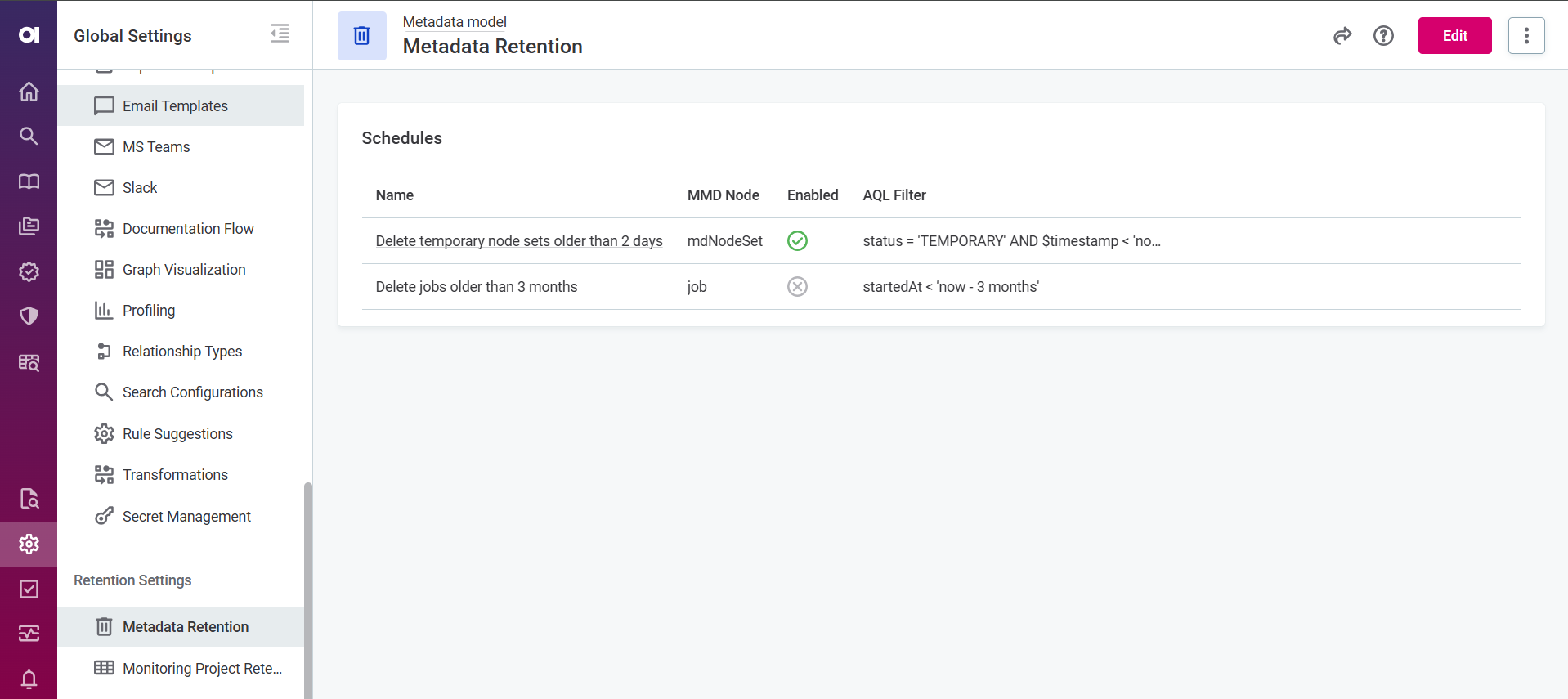
To turn a schedule on or off:
-
Go to Global settings > Retention settings > Metadata retention.
-
Find the schedule you want to modify.
-
Switch the schedule on or off as needed.
Configure schedule timing
For each schedule, you can adjust the following timing settings:
-
Cron expression: A Quartz cron expression that defines when the schedule runs. For example,
0 0 2 * * ?runs every day at 02:00. For the full syntax, see the Quartz CronTrigger tutorial. -
Time zone: The time zone in which the cron expression is evaluated (for example,
UTCorEurope/Prague). This is important to ensure the schedule runs at the intended local time.
We recommend scheduling retention jobs to run at night or during off-peak hours, as processing large volumes of metadata can be resource-intensive.
Was this page useful?