
July 2026
This release lets you validate data quality across two tables directly in a DQ monitor and check the quality of geographic data, and brings the MCP trust layer to Snowflake Intelligence.
Validate data quality across two tables
Cross-table rules let you check consistency between two related tables within a single DQ monitor. You no longer need to combine the tables yourself first, for example by building an SQL or transformation catalog item to bring the data together. You join a related table to the primary table, apply a rule that references attributes from both, and get results reported on the primary table.
You can:
-
Join two tables, including tables in different systems.
-
Match join keys stored in different formats by transforming them before the values are compared, for example by changing case or taking a substring.
-
Join on more than one column when a single key isn’t enough.
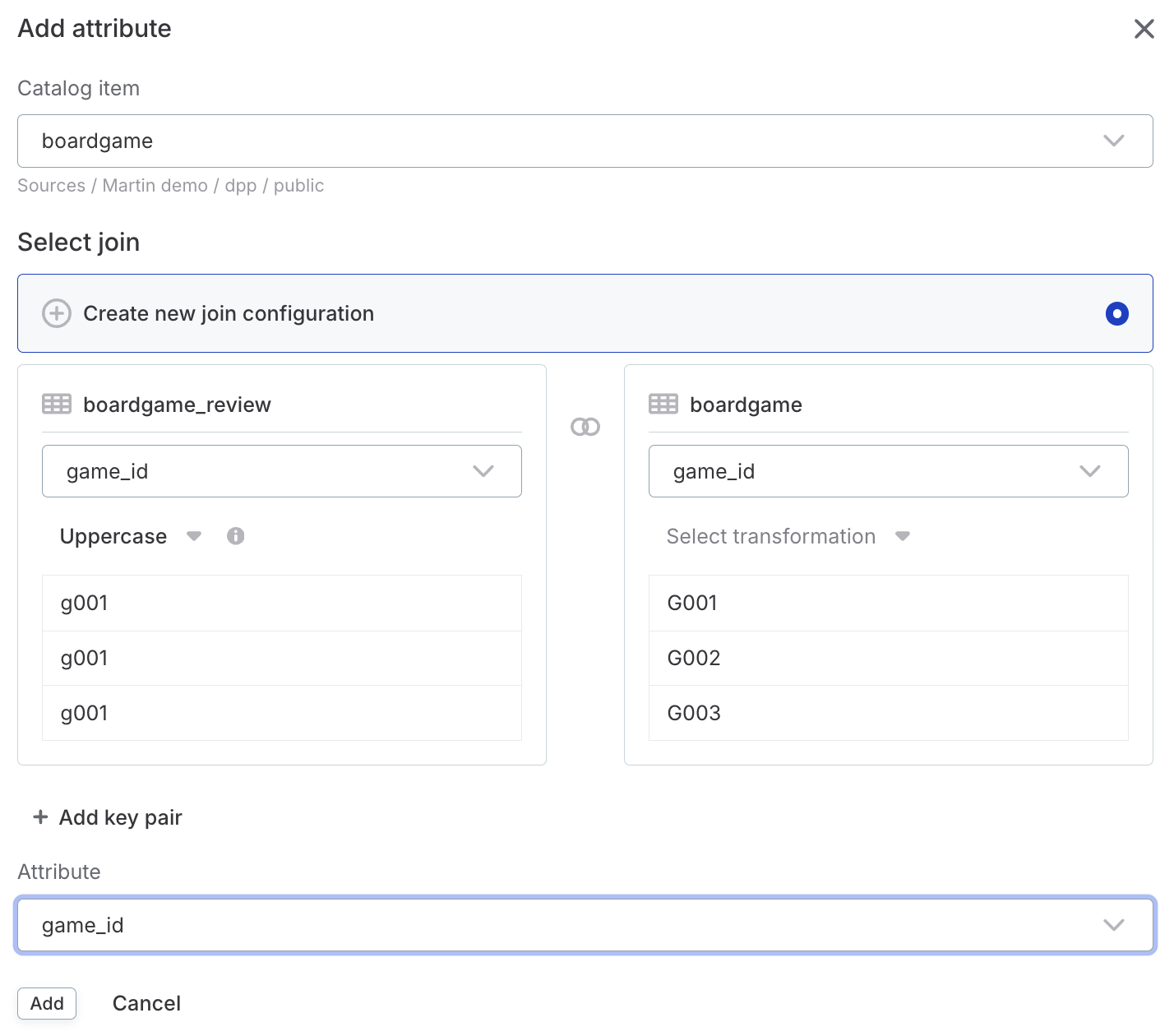
For details, see Cross-Table Rules.
Check the quality of geographic data
Rules and data transformations can now work with geographic data using the geo.* expression functions.
You can:
-
Validate that geometries are well formed, for example that a boundary doesn’t self-intersect.
-
Test how two geometries relate to each other, such as whether an asset falls within a service area or whether two zones overlap.
-
Measure geometries to get area in square meters, or length and perimeter in meters.
Geographic values are read as strings in GeoJSON or WKT format, in the extended EWKT format, or in the hexadecimal WKB and EWKB forms of those two.
For the full list of functions, see Geospatial operations.
Connect Snowflake Intelligence to the MCP trust layer
Ask questions about your Ataccama data directly from Snowflake Intelligence. Add the Ataccama ONE MCP server as a custom connector, attach it to an agent, and query your catalog, data quality results, and more without leaving Snowflake.
The connector uses SSO authentication with Dynamic Client Registration (DCR), so you can log in with your existing Ataccama credentials. Once connected, the same setup also works in Snowflake CoWork.
For setup instructions, see Connect to the MCP Trust Layer.
AWS Secrets Manager support on Ataccama cloud runtime
In addition to edge, AWS Secrets Manager now works with Ataccama cloud runtime. Reference database passwords, API keys, and other credentials from your AWS vault when configuring data sources, so credential management stays within your existing infrastructure. Works with same-account and cross-account setups.
Create an IAM role that gives the runtime read access to your secrets, then add a key vault connection in ONE that points to it. Once connected, reference secrets by name when setting up source credentials.
For details, see Set Up AWS Secrets Manager Access and Secret Management Service.
Was this page useful?