
Data Trust Index
The Data Trust Index (DTI) is a score that tells you at a glance how trustworthy a dataset is, and what you can do to improve it.
What is the Data Trust Index
The Data Trust Index answers two core questions:
-
Data consumers: "Can I use this data for my decisions with confidence?"
-
Data stewards: "What can I do to make this dataset more trustworthy?"
Instead of requiring you to check data quality monitors, verify that an owner is assigned, or confirm that business terms are mapped, the DTI aggregates these signals into a single, transparent score displayed on every catalog item page.
The score ranges from 0 to 100 and reflects three categories of data readiness: quality, ownership, and data context.
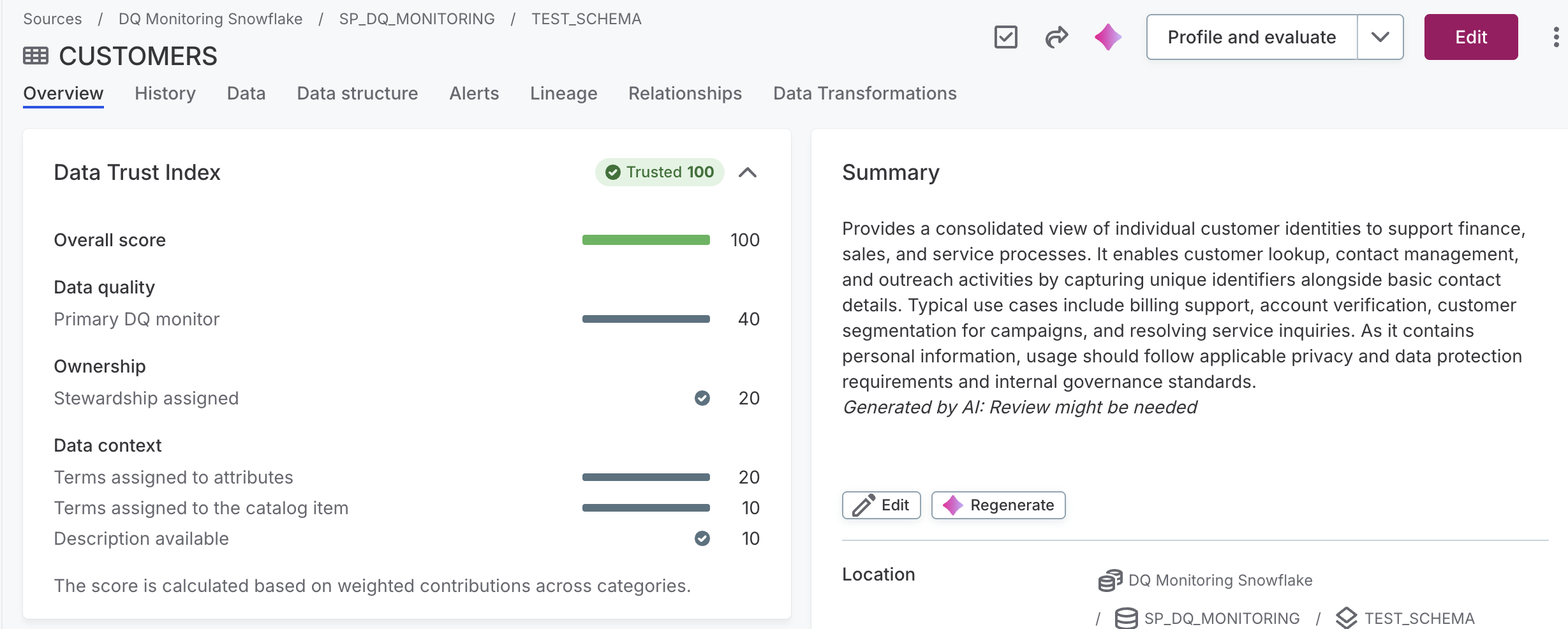
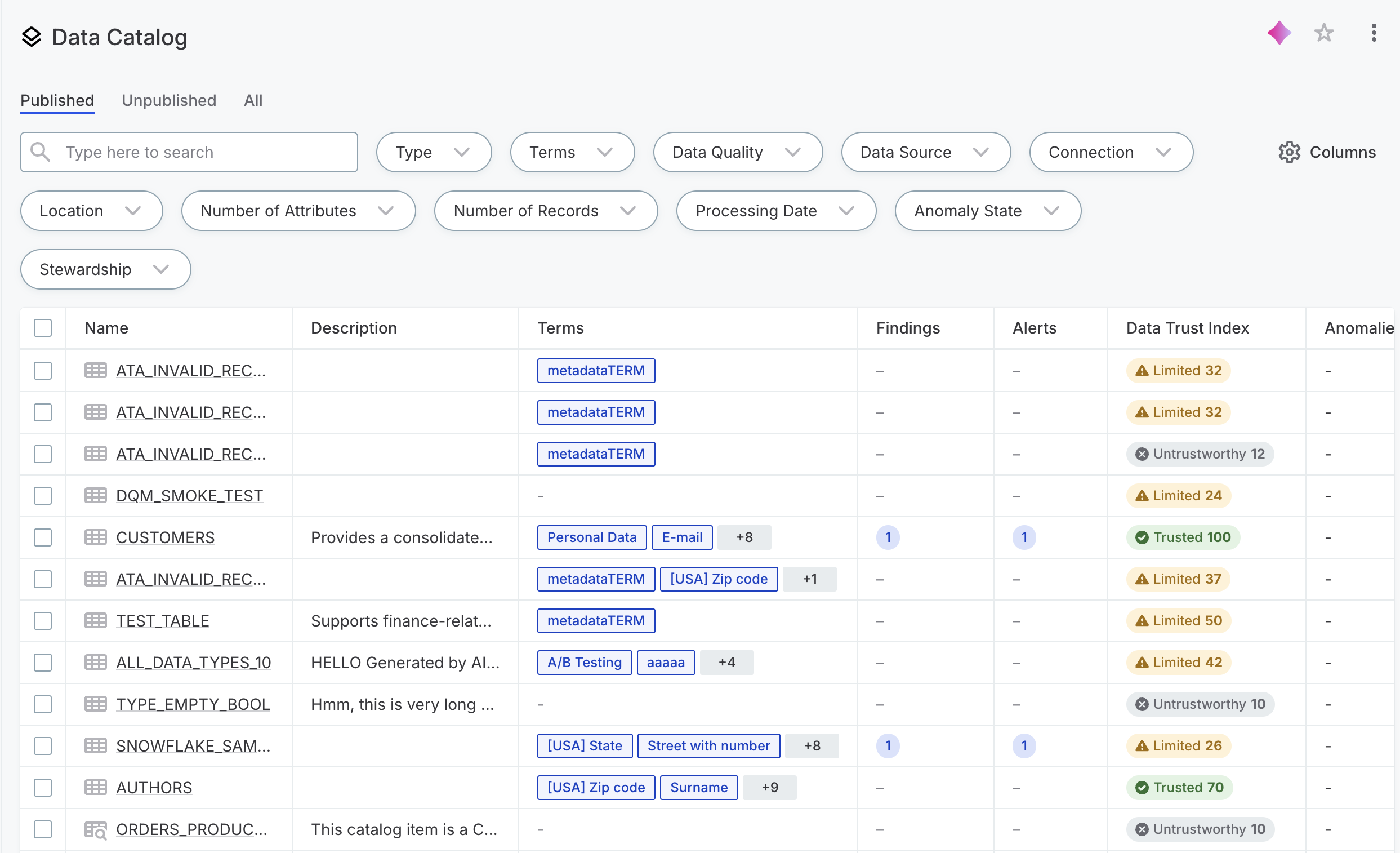
It is displayed on the Overview tab of every catalog item, and as a badge in the catalog listing view. You can also ask the AI Agent to retrieve the score for a catalog item.
Understand the DTI score
The DTI score maps to one of three trust tiers:
-
Trusted (70–100): The dataset meets high standards for quality and governance. It is safe to use for analytics, reporting, AI, or compliance purposes.
-
Limited (20–69): Some signals are missing or weak. Review the score breakdown before relying on this dataset for critical decisions.
-
Untrustworthy (0–19): The dataset lacks sufficient quality or metadata to be used reliably. Significant improvements are needed.
How the score is calculated
The DTI is a weighted aggregate of five inputs, grouped into three categories, with a maximum total score of 100.
-
Data quality (up to 40 points): Reflects the data quality percentage from the primary DQ monitor assigned to the catalog item.
-
Ownership (up to 20 points): Reflects whether a responsible owner is assigned to the catalog item.
-
Data context (up to 40 points): Combines three inputs: the ratio of terms assigned to attributes (up to 20 points), terms assigned to the catalog item itself (up to 10 points), and whether a description is available (up to 10 points).
The score is calculated based on weighted contributions across these categories.
Data quality score states
The Data quality component reflects the state of the last completed DQ evaluation for the catalog item. Depending on the evaluation history, you may see one of the following:
-
DQ evaluation completed successfully: The DTI shows the current DQ score from the primary monitor.
-
Catalog item has never been evaluated: The Data quality component contributes 0 points. The Data quality and profile section on the same page shows Not evaluated. The remaining components still contribute to the overall score.
-
Latest evaluation job failed: The DTI shows a score of 0 for Data quality. The Data quality and profile section on the same page shows N/A. This is expected — a failed job is treated as an absence of a valid result, not a reflection of the data quality itself. Re-running a successful evaluation will update the score.
Improve the DTI score
For each area where points are missing, you can take a direct action to improve the score.
-
Primary DQ monitor: Check the DQ monitor results for the catalog item and resolve failing rules. If no DQ monitor is assigned, set one up. See DQ Monitors and Run DQ Evaluation.
-
Stewardship assigned: Assign an owner to the catalog item from the catalog item detail page. See Assign Stewardship.
-
Terms assigned to attributes: Open the attributes tab and link attributes to the appropriate terms. See Detect and Apply Terms.
-
Terms assigned to the catalog item: Add terms directly to the catalog item from its detail page.
-
Description available: Add a description field on the catalog item.
Each improvement is reflected in the DTI score automatically once the change is saved.
Was this page useful?