
Activate and Deactivate Records
Activating and deactivating a record sets its activity flag, which tells consuming systems whether the record is in use.
About record activation
Active records are the ones in use across your connected systems. Deactivating a record marks it as inactive without deleting it: the record stays in MDM, and consuming systems receive it together with its state. For example, a bank can deactivate a customer who left without losing their data.
For authored or combined records, the activity flag is set directly. For consolidated records, it is applied as an override. See Allowed operations on master records.
If these actions aren’t available for an entity, or your changes can’t be saved or published, check the prerequisites for editing entities.
Deactivate a record
-
Open the record and select Edit. A task is created, the record opens in editing mode, and the task toolbar appears.
-
In the three-dot menu next to Edit, select Deactivate.
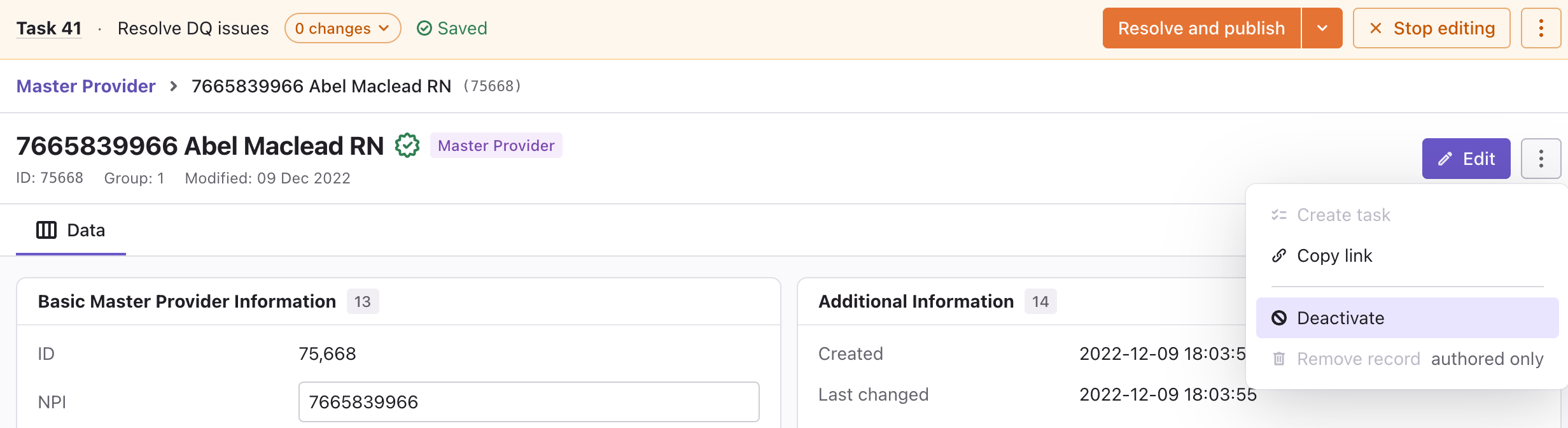
-
Publish the task or move it to the next workflow step. See Resolve Tasks.
Once published, the record is marked as inactive and grayed out in the record listing.
Activate a record
-
Open the record and select Edit. A task is created, the record opens in editing mode, and the task toolbar appears.
-
In the three-dot menu next to Edit, select Activate.
-
Publish the task or move it to the next workflow step. See Resolve Tasks.
Once published, the record is marked as active.
Remove the activity override
If the activity of a record was set manually, you can remove the override so that the record gets its activity from the data again.
-
Open the record and select Edit.
-
In the three-dot menu next to Edit, select Remove activity.
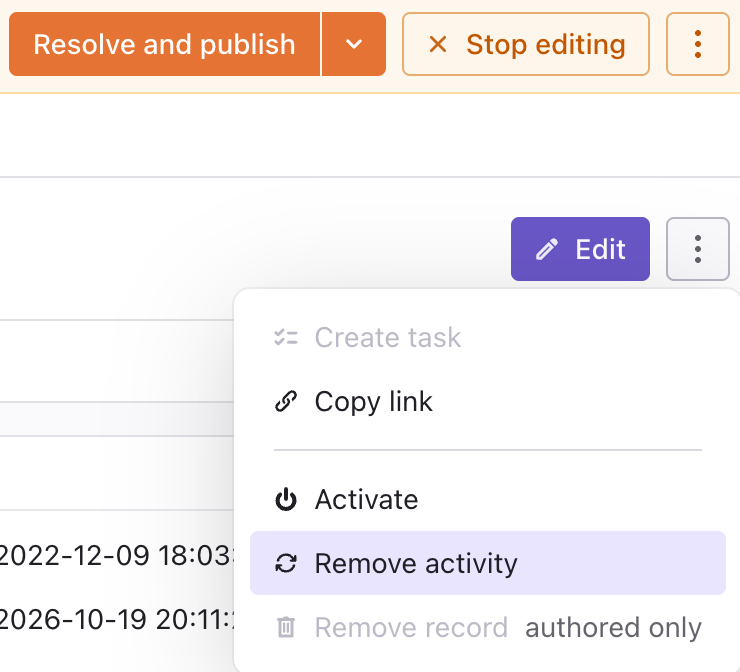
-
Publish the task or move it to the next workflow step. See Resolve Tasks.
For master records, the activity is then derived from the instance records again. For instance and reference data records, the value comes from the source system.
Was this page useful?