
Term Suggestions Synchronization
This page explains how to synchronize Term Suggestions services with ONE and how to optimize performance through term detection settings.
For more information about term suggestions, see Term Suggestions: Behind the Scenes. For more information about metadata-based rules, see Detection and DQ Evaluation Rules.
Limiting term detection for performance
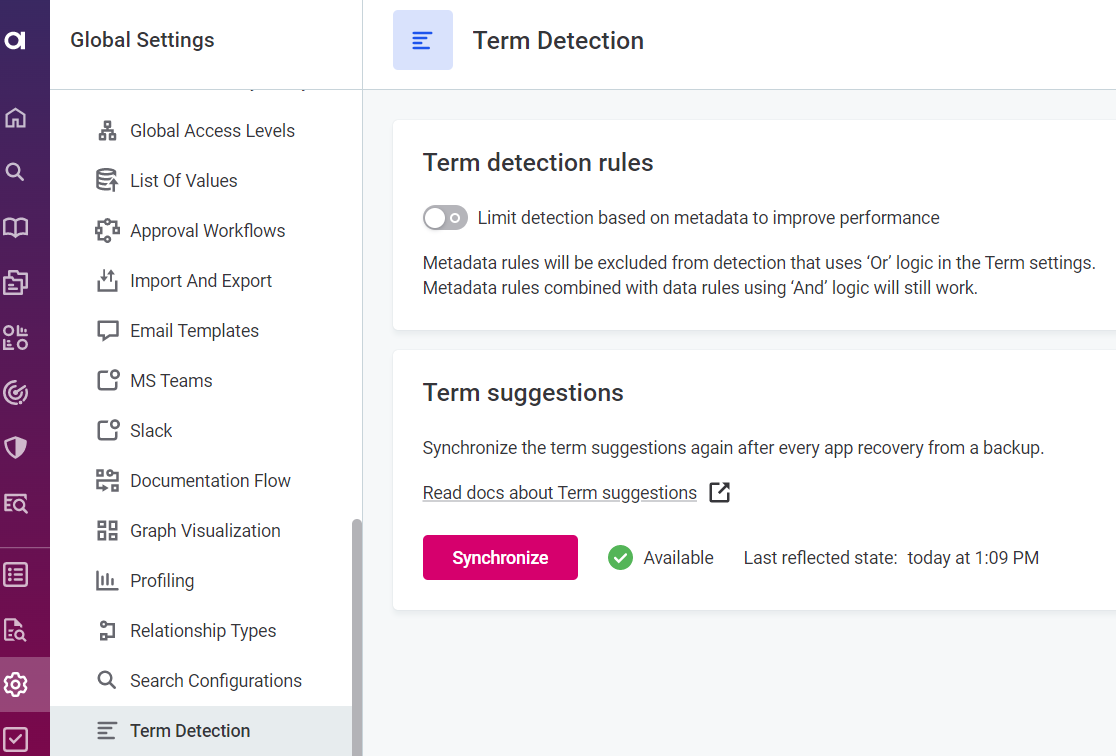
When profiling catalog items with a large number of attributes, term detection can impact the application performance. To address this, you can exclude metadata-based rules from term detection.
An exception to this are metadata rules that are combined with data rules using the AND logic in the term settings. Such rules will still be applied during term detection.
To do this, go to Global Settings > Term Detection and select Limit detection based on metadata to improve performance.
Term suggestions synchronization
In certain cases, Term Suggestions services and ONE need to be synchronized manually. This typically happens when restoring the ONE database from a snapshot or when the platform is deployed for the first time with some default assets (for example, predefined terms).
| Plan accordingly: large catalogs (1M+ attributes) might take several hours to recompute. See Recomputation time estimates. |
To run the synchronization:
-
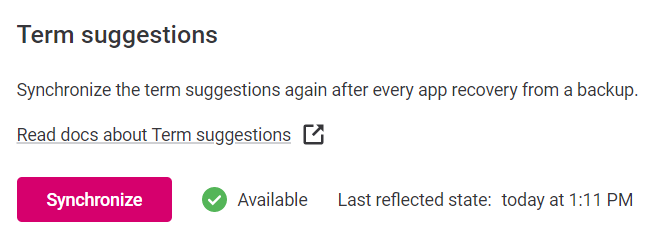
Go to Global Settings > Term Detection tab:
-
Under Term suggestions, select Synchronize.
-
Wait for the synchronization to finish. During synchronization, metadata from the Metadata Management Module (MMM) is sent to the AI services.
Once the synchronization is complete, the Synchronize option becomes available again and the Latest reflected state is updated with the most recent run. Term suggestions are recomputed in the background and will be gradually refreshed.
|
If synchronization finishes with an error instead, this indicates Terms Suggestions services are not available due to a connection failure or because they are not running. See Troubleshooting. 
|
Recomputation time estimates
The following table contains the approximate times for recomputing term suggestions for your number of attributes when only fingerprints are enabled. If other features are used, the process can take longer.
| Number of attributes | Time for term suggestions recomputing |
|---|---|
1 000 |
< 2 sec |
10 000 |
< 12 sec |
50 000 |
~ 1 min |
100,000 |
< 3 min |
150,000 |
~ 5 min |
200,000 |
< 8 min |
250,000 |
~ 10 min |
300,000 |
< 14 min |
350,000 |
< 17 min |
1,000,000 |
~ 1,5 hours |
2,000,000 |
~ 6 hours |
3,000,000 |
~ 11 hours |
Troubleshooting
Other than already being in progress, synchronization might not be available if Term Suggestions services cannot connect to ONE. The connection is typically restored within a few minutes without any intervention.
If this isn’t the case, contact your admin or Ataccama Support team for assistance.
Was this page useful?