
Data Viewing Modes
When you open a table or a view, you can browse data from different perspectives called modes. Which modes you can use depends on your application permissions.
What modes are available?
Available viewing modes show the following:
-
Published - The latest "official" version of reference data.
-
Edit - All records in their current state, including unpublished changes (created, edited, or deleted records).
-
History - Published records at a specific point in time.
-
All history - Complete history of all changes made to all records.
-
Cart - Records added to the cart in the EDIT mode. Used for working with specially marked records.
-
Import - Data import mode showing imported records compared to the latest record state (published or edited) or published state at a point in time.
-
Inputs - Import mode for connected systems showing imported records compared to the latest record state (published or edited) or published state at a point in time. Available to users with system permissions only.
Selecting the mode
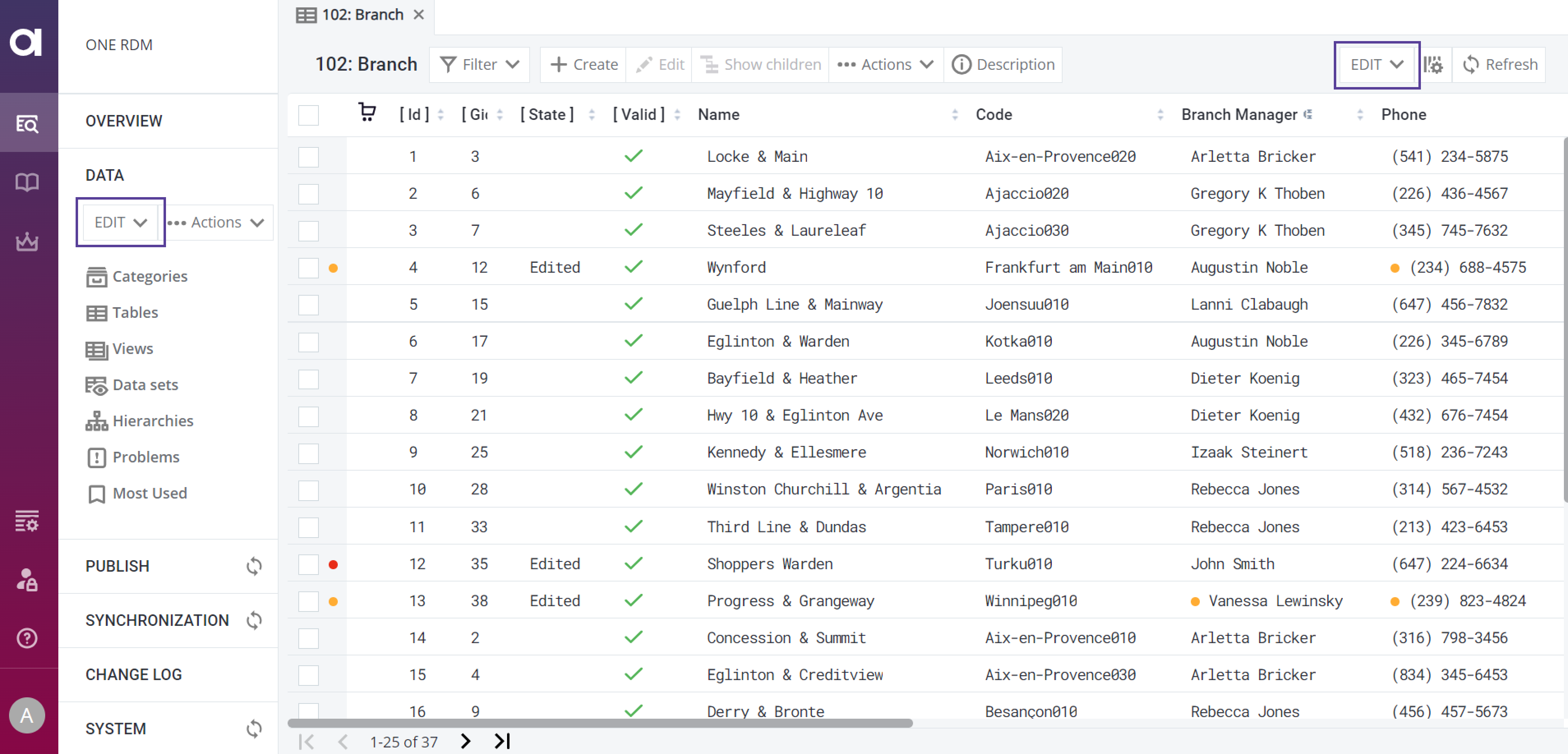
Select modes in the Mode menu in the upper-right area of the Viewing Panel. The mode applies to the currently viewed table.
Change the Default Mode under the Data tab. All tables or views open in the selected mode.
Filters
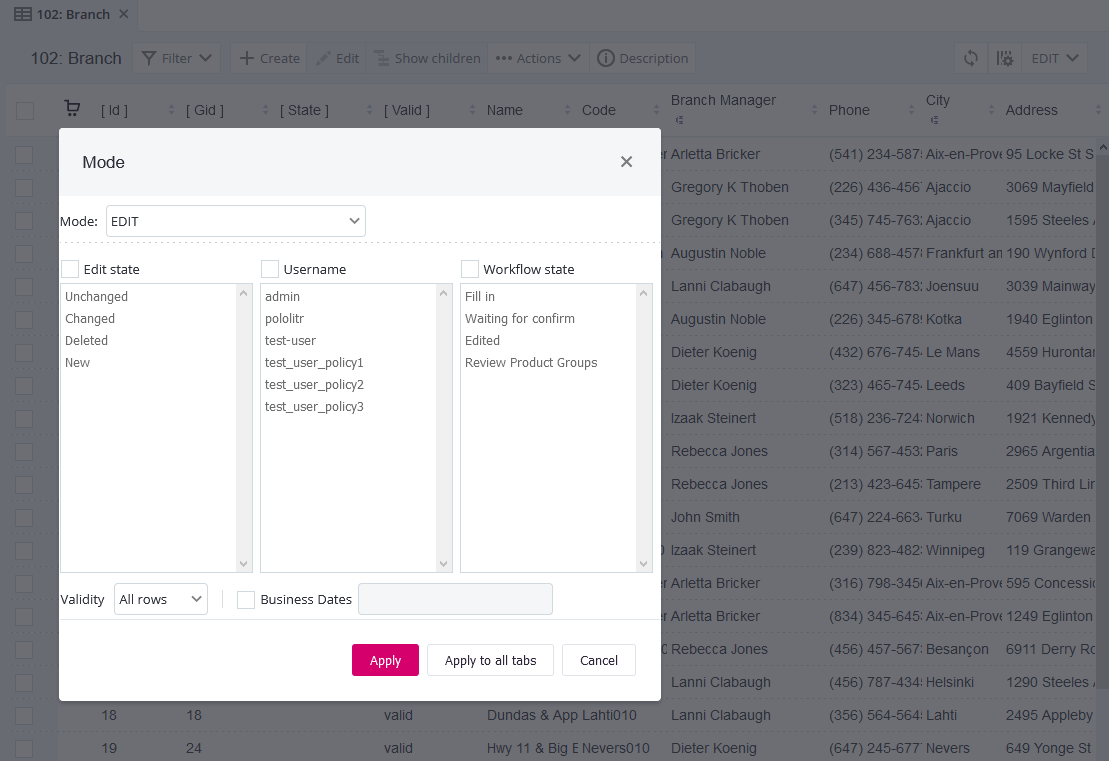
All modes except CART and PUBLISHED feature additional mode-specific filters. To access these, click the filter icon in the Mode menu and select Setup filters.
Filtering options apply to the current table (Apply) or all tables (Apply to all tabs).
Published
Shows the most current version of reference data tables used by the company. No additional filters are available.
Edit
The mode for editing data in RDM. Displays the current version of the data and records with changes pending publishing to source systems.
| The EDIT mode displays raw attribute values. Value presenters only apply in PUBLISHED and HISTORY modes. |
In the following example, one record is newly created (green dot) and not published yet, one record was deleted (red dot), and two record were edited (orange dot). Edited records have highlighted fields. For color-coding details, see Record edit states.
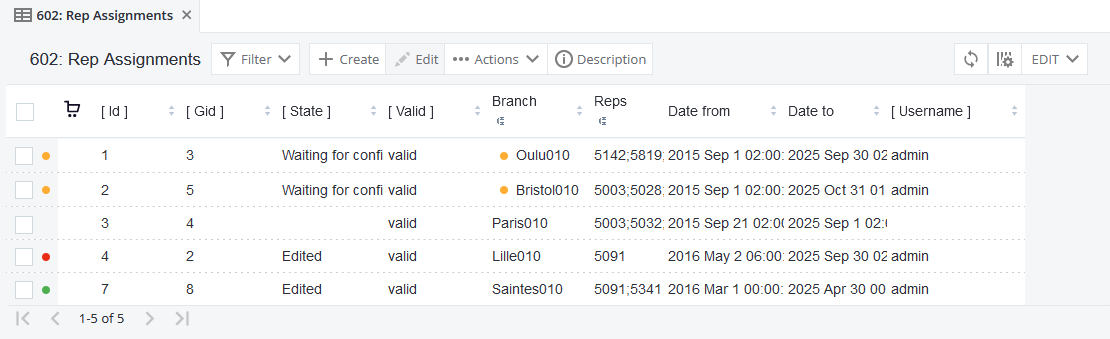
The EDIT mode filtering options include:
-
Username.
-
Edit state.
History
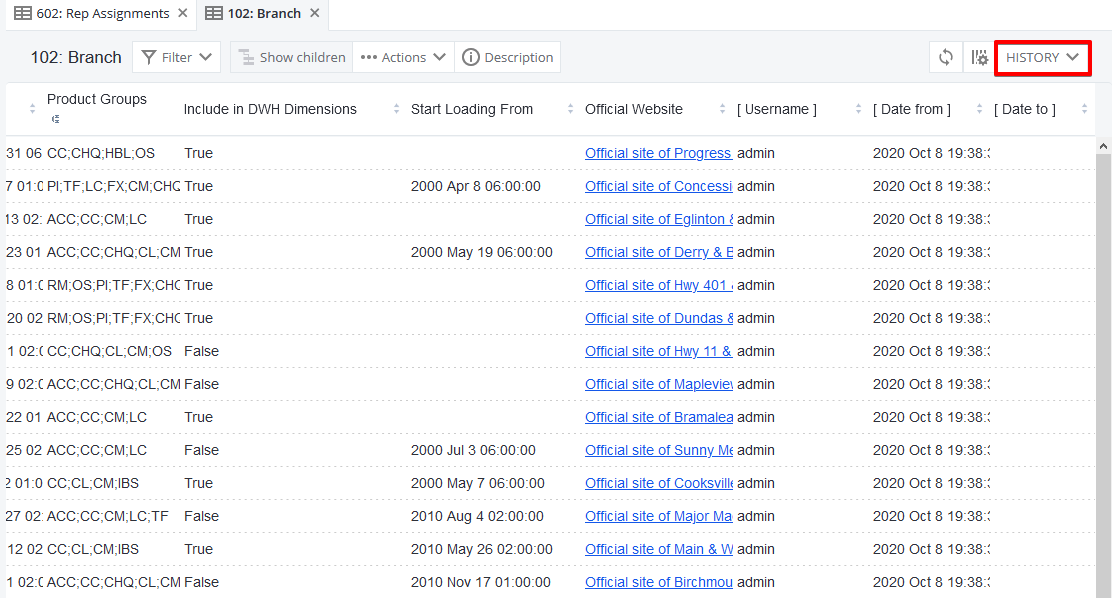
The HISTORY mode provides the state of published data based on the selected date and time.
| Select the date using Setup filters. Time can be manually specified. |
The unique columns for this and ALL_HISTORY modes are [ Date from ] and [ Date to ], which show the date range when the current record version is valid.
If the selected date is older than the table creation date, the table appears empty. With no date selected, the data displayed matches the PUBLISHED mode.
All History
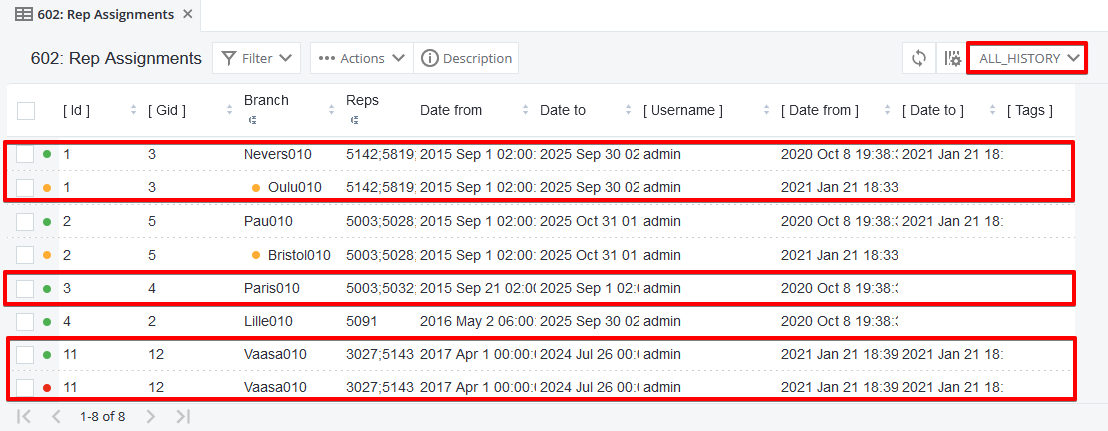
Displays complete data history showing all changes ever made to records, including color-coded dots to interpret data changes.
| Select the history date range using Setup filters. Time can be manually specified. |
This example shows three record-editing scenarios:
-
Record with Gid = 3 was created, published, and edited.
-
Record with Gid = 4 was created and published with no other changes.
-
Record with Gid = 12 was created and deleted; it no longer exists. For color-coding details, see Record edit states.
Filtering options in the ALL_HISTORY mode include edit state, username, tags (see Publishing Changes in RDM), and the time range for displayed history.
Import
Used for data import. See Importing and Exporting Data in RDM.
Cart
Shows records added to the cart in the EDIT mode. Adding records to the cart marks and separates them from others, for example, for publishing. See Mark records for later use for adding records to the cart.
Was this page useful?