
MS Teams Integration
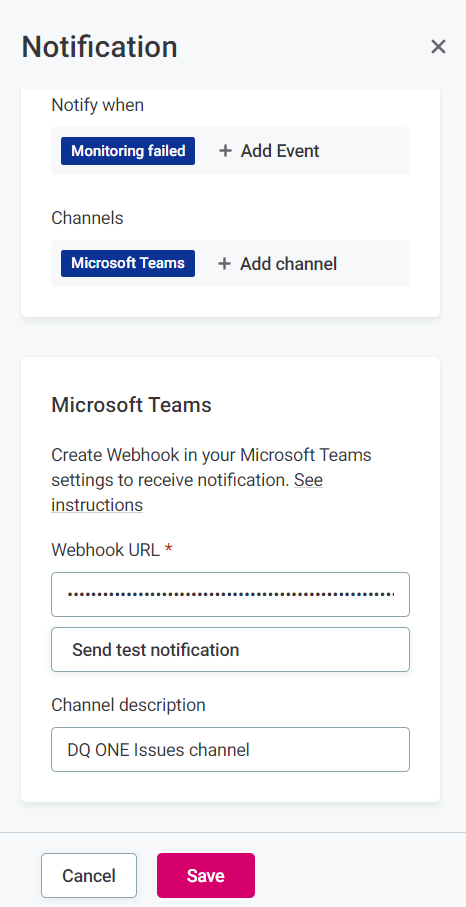
Ataccama ONE can be integrated with MS Teams. This means you can receive notifications related to datasets observed in ONE directly to a selected channel.
Add incoming webhook to MS Teams channel
To add an incoming webhook for the selected channel:
-
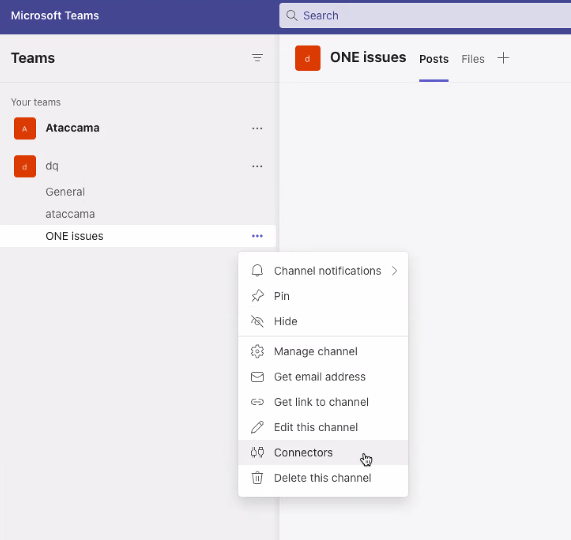
In MS Teams, select the channel in which you would like to receive notifications and expand the three dots menu.
-
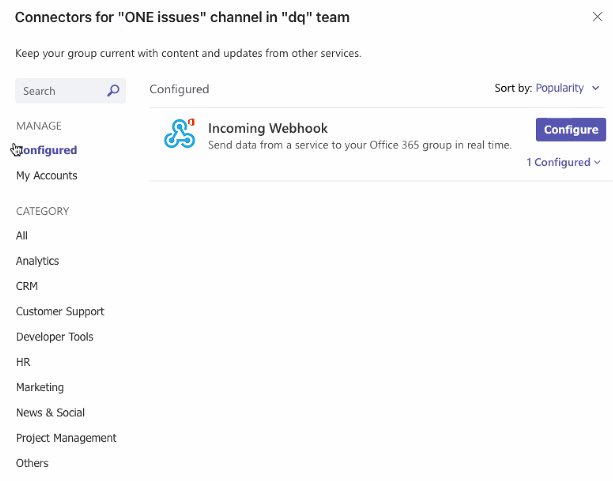
Select Connectors.
-
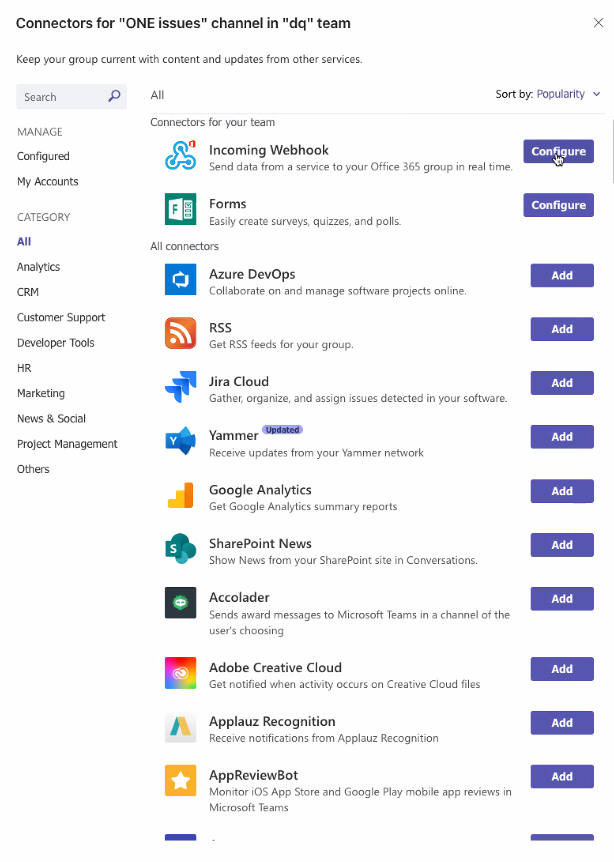
Locate Incoming Webhook and select Configure.
-
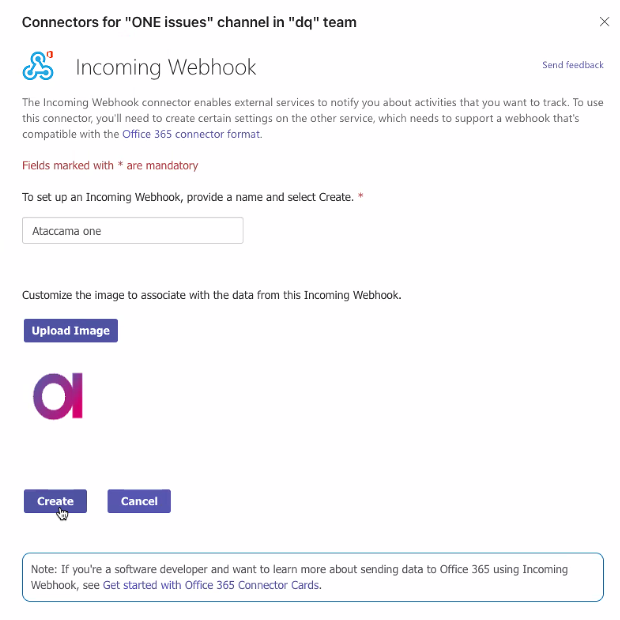
Provide a name, image (optional), and select Create.
-
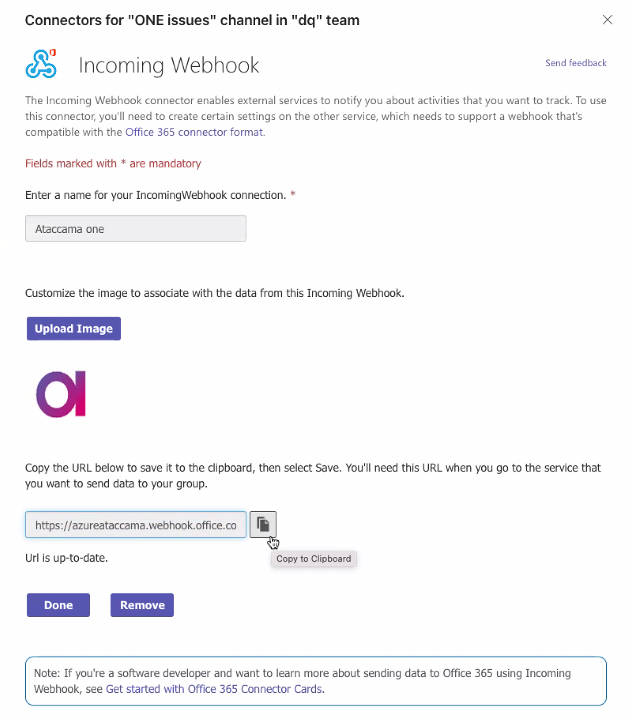
The webhook URL is generated. Copy this to clipboard or save it for later, as you need to provide this URL in ONE.
-
Select Done.
The webhook is now visible when you select Configured in your list of connectors. From here you can edit the settings later if needed.
Was this page useful?