
API Authentication
|
The REST API is currently in Early Access Preview. The API specification and endpoints might change before being marked as stable. We recommend testing thoroughly and being prepared to adapt to potential changes in future releases. |
The Ataccama ONE REST API uses OAuth 2.0 Bearer token authentication to secure API requests. All API endpoints require a valid access token to be included in the request headers.
Before you start
Ensure you have admin access to the Ataccama Cloud Portal administration interface.
Create an API client
|
The client secret is displayed only once during creation. Copy and securely store the client ID and client secret immediately. If you lose the client secret, you need to create a new API client. |
To create an API client:
-
Log in to the Ataccama Cloud Portal.
-
Go to your environment.
-
Go to the Settings tab.
-
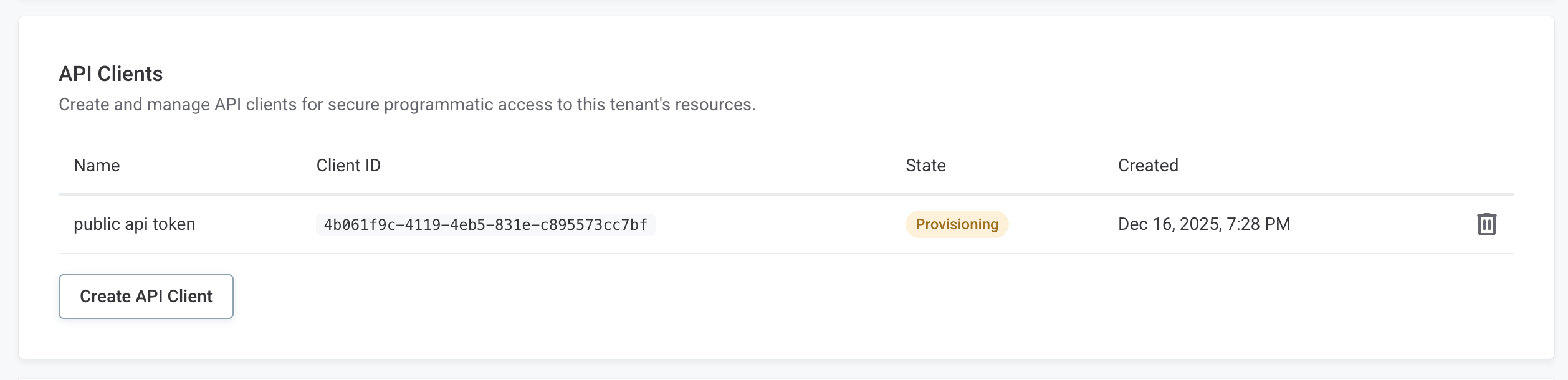
Locate the API Clients section.
-
Select Create API Client.
-
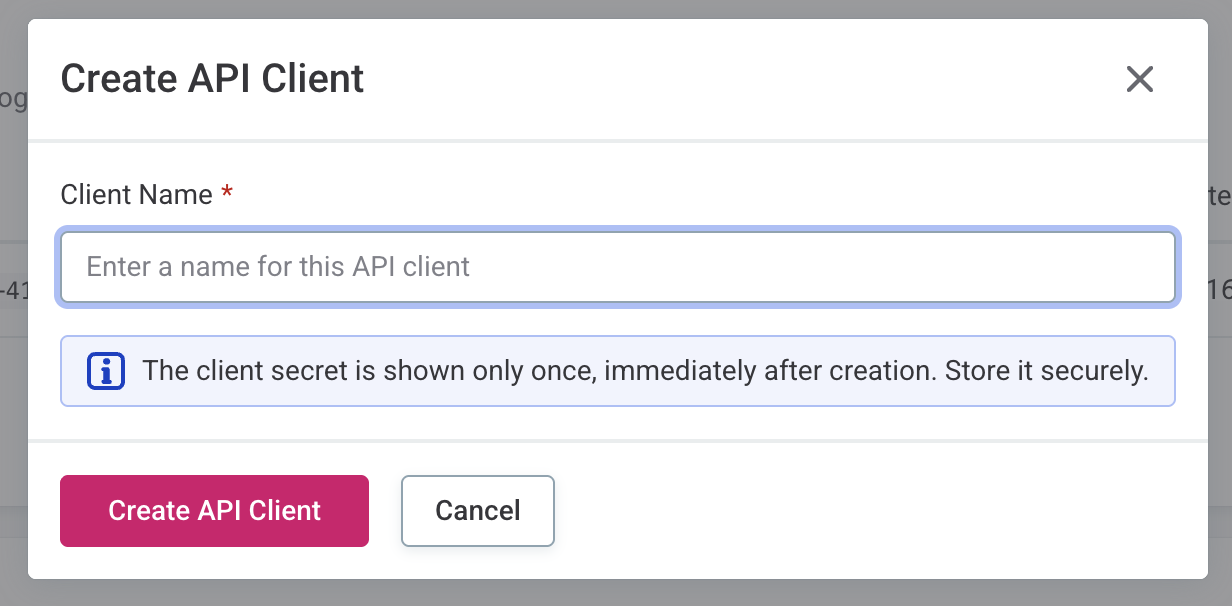
Provide a name for your API client.
-
Select Create.
-
Copy and securely store the generated credentials.

Obtain an access token
After creating your API client, use the OAuth 2.0 Client Credentials flow to obtain an access token.
Token request
Send a POST request to the token endpoint with your client credentials:
curl -X POST "https://{your-environment}.ataccama.one/auth/realms/{realm}/protocol/openid-connect/token" \
  -H "Content-Type: application/x-www-form-urlencoded" \
  -d "grant_type=client_credentials" \
  -d "client_id={your-client-id}" \
-d "client_secret={your-client-secret}"| Parameter | Description |
|---|---|
|
Domain as stated in the Cloud Portal. |
|
Tenant name as stated in the Cloud Portal. |
|
The client ID from your API client. |
|
The client secret from your API client. |
Token response
The token endpoint returns a JSON response containing the access token:
{
  "access_token": "eyJhbGciOiJSUzI1NiIsInR5cCI6IkpXVCJ9...",
  "expires_in": 300,
  "token_type": "Bearer",
  ...
}| Field | Description |
|---|---|
|
The JWT bearer token for API requests. |
|
Token expiration time in seconds. |
|
Always |
Use the access token
Include the access token in the Authorization header of your API requests using the Bearer authentication scheme:
curl -X GET "https://{your-environment}.ataccama.one/api/reference-data/v1/tables" \
  -H "Authorization: Bearer {access_token}"
Token expiration and renewal
Access tokens expire after the time specified in the expires_in field.
When a token expires, you will receive a 401 Unauthorized response.
To continue making API requests, obtain a new access token by repeating the token request.
| Implement token refresh logic in your application to automatically obtain a new token before the current one expires. This ensures uninterrupted API access. |
Best practices
-
Secure storage: Store client credentials securely using environment variables, secrets management systems, or secure configuration files. Never commit credentials to version control.
-
Token reuse: Reuse access tokens until they expire rather than requesting a new token for each API call.
-
Error handling: Implement proper error handling for authentication failures and token expiration.
-
Least privilege: Use API clients with only the necessary permissions for your use case.
Example: Complete authentication flow
Here’s a complete example using cURL to authenticate and make an API request:
curl -X POST "https://{your-environment}.ataccama.one/auth/realms/{your-realm}/protocol/openid-connect/token" \
  -H "Content-Type: application/x-www-form-urlencoded" \
  -d "grant_type=client_credentials" \
  -d "client_id={your-client-id}" \
-d "client_secret={your-client-secret}"curl -X GET "https://{your-environment}.ataccama.one/api/reference-data/v1/tables" \
-H "Authorization: Bearer eyJhbGciOiJSUzI1NiIsInR5cCI6IkpXVCJ9..."Troubleshooting
401 Unauthorized error
If you receive a 401 Unauthorized error, verify the following:
-
The access token is valid and has not expired.
-
The
Authorizationheader is properly formatted with theBearerprefix. -
Your API client has the necessary permissions.
Was this page useful?