
November 2025
This release introduces automated file export capabilities for transformation plans and enhanced data processing features.
Scheduled maintenance windows
We’re introducing fixed maintenance windows to deliver critical updates while minimizing disruption to the platform’s uptime and availability.
This allows us to perform operations that require brief downtime, such as upgrading authentication services, databases, and message brokers, implementing complex metadata model enhancements, and migrating major components.
What to expect
Starting December 1, 2025, maintenance windows are available every Saturday, 07:00–12:00 UTC. You will receive 14 calendar days' advance notice before any scheduled maintenance.
During maintenance windows, the platform will be unavailable.
To help you plan across time zones, here are the maintenance windows in your local time:
-
Central Europe (Paris, Berlin, Prague): 08:00–14:00
-
United Kingdom (London): 07:00–13:00
-
US Eastern (New York, Boston): 2 AM–8 AM
-
US Pacific (San Francisco, Seattle): 11 PM–5AM
-
Australia Eastern (Sydney): 5 PM–11 PM
Export data to file storage
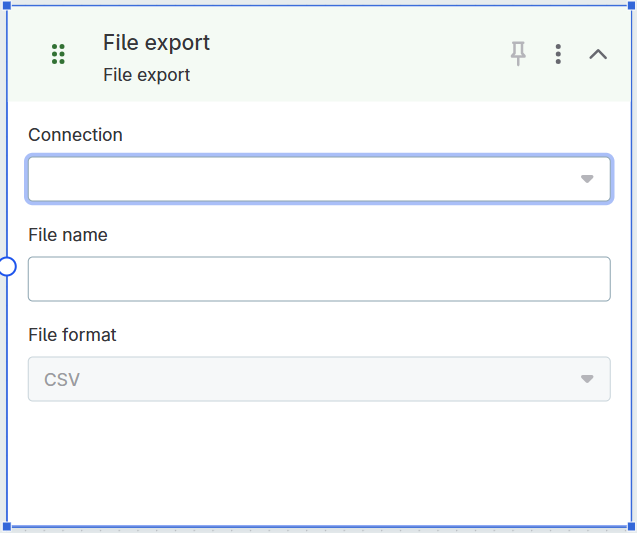
Export data from transformation plans directly to file storage locations such as Amazon S3.
The new File export step enables you to:
-
Export transformation results to CSV format.
-
Configure the target storage connection and file path.
-
Schedule automated exports for regular data delivery.
Common use cases include:
-
Exporting published reference data tables to data lakes.
-
Delivering processed data to downstream systems.
-
Creating automated data feeds for external applications.
When used with reference data tables, scheduled exports always use the latest published version at the time the plan runs.
For details, see File Export Step.
Change data types in reference data tables
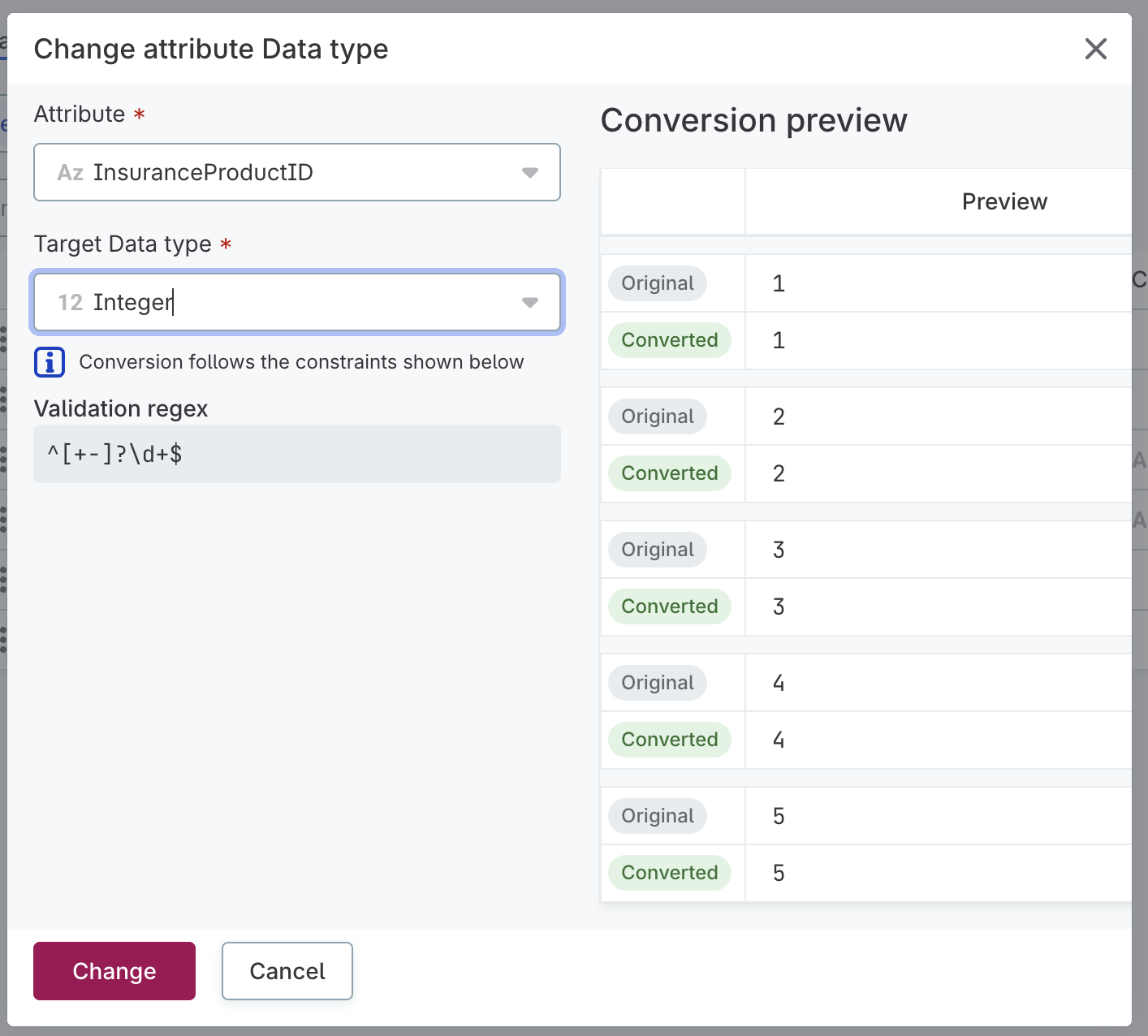
You can now change the data type of attributes in reference data tables and automatically convert existing data through the Data Structure tab.
The conversion preview shows original and converted values side by side, helping you identify data that cannot be converted and will be deleted.
| Data that cannot be converted to the new data type is permanently deleted. Review the conversion preview carefully before confirming the change. |
|
Known limitation
For data type detection or conversions during import, use the AI Agent. These actions are not applied automatically on import. |
For details, see Change data types.
Was this page useful?