
September 2025
This release brings AI-powered productivity features and advanced modeling capabilities to help you manage reference data more efficiently and keep your data quality standards intact.
Work faster with Reference data
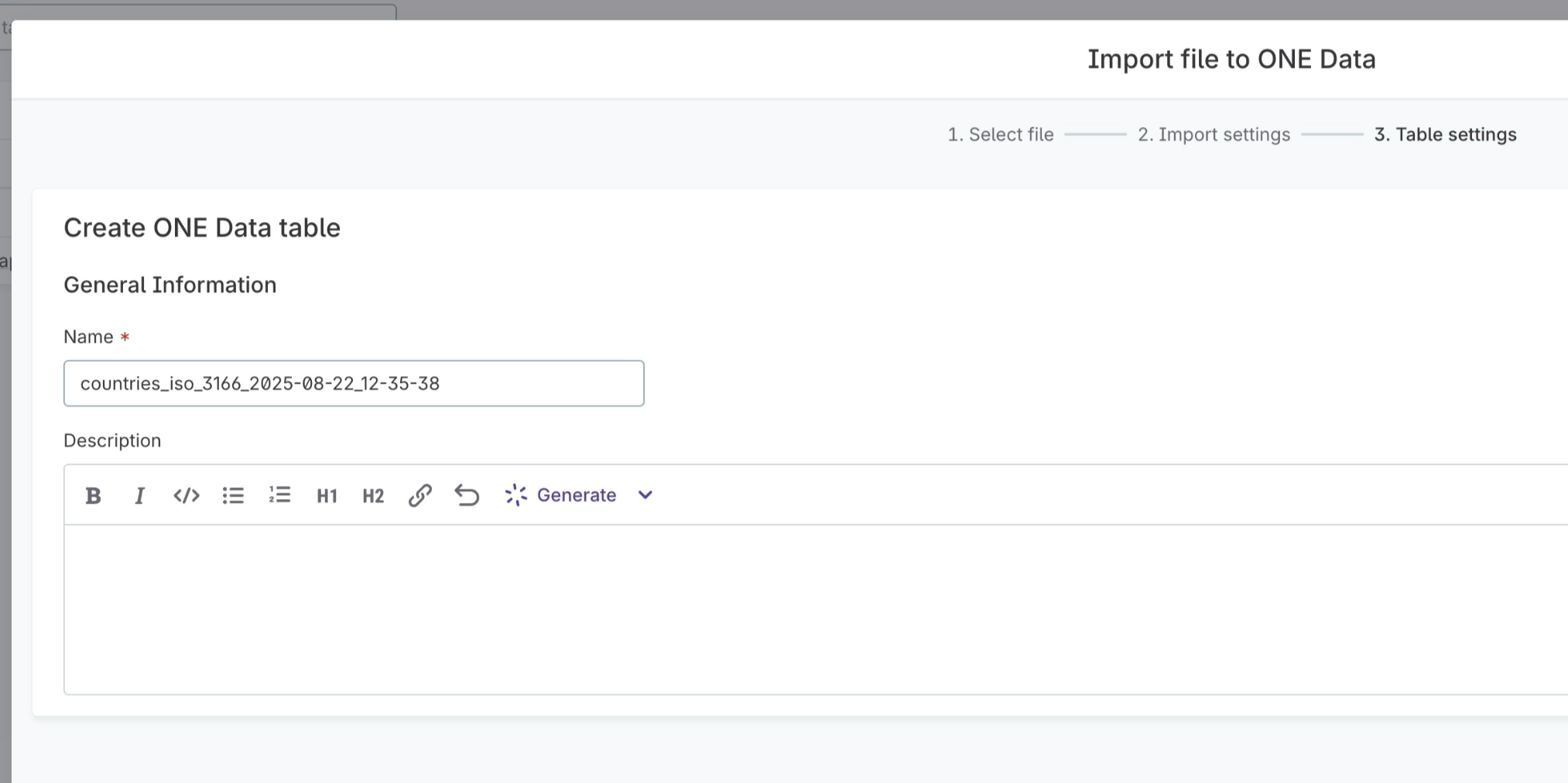
Generate table descriptions with AI
Let AI write comprehensive descriptions for your reference data tables by analyzing structure and sample data.
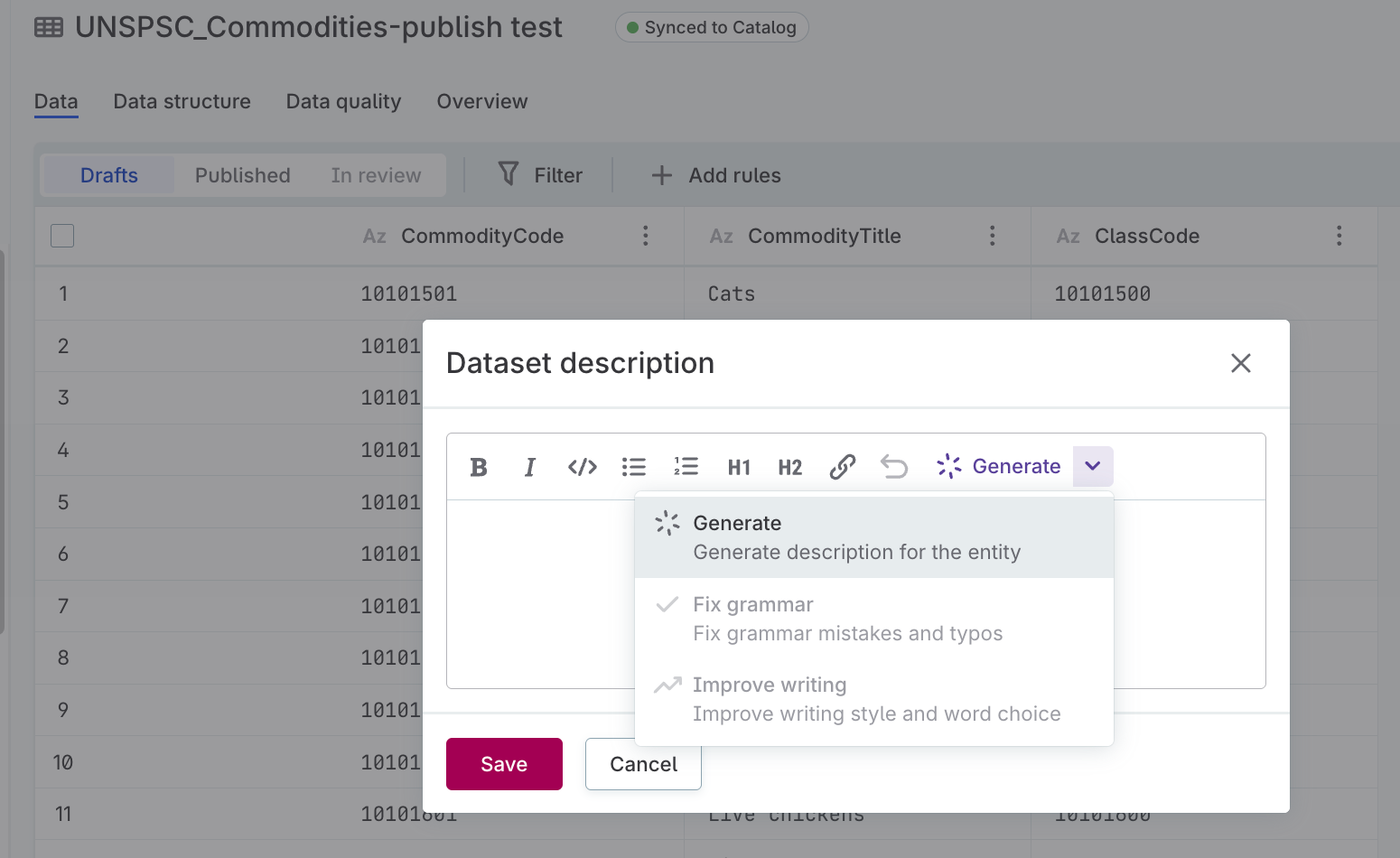
Choose the generation mode that fits your needs:
-
Generate complete descriptions from scratch.
-
Fix grammar and improve existing descriptions.
-
Improve writing style and word choice.
Access the AI generator directly from the table overview or during file import.
For details, see Generate table descriptions.
Copy and paste from external sources
Paste data directly from spreadsheets like Microsoft Excel or Google Sheets into reference data table cells. Works with single or multiple cells to significantly reduce manual data entry effort.
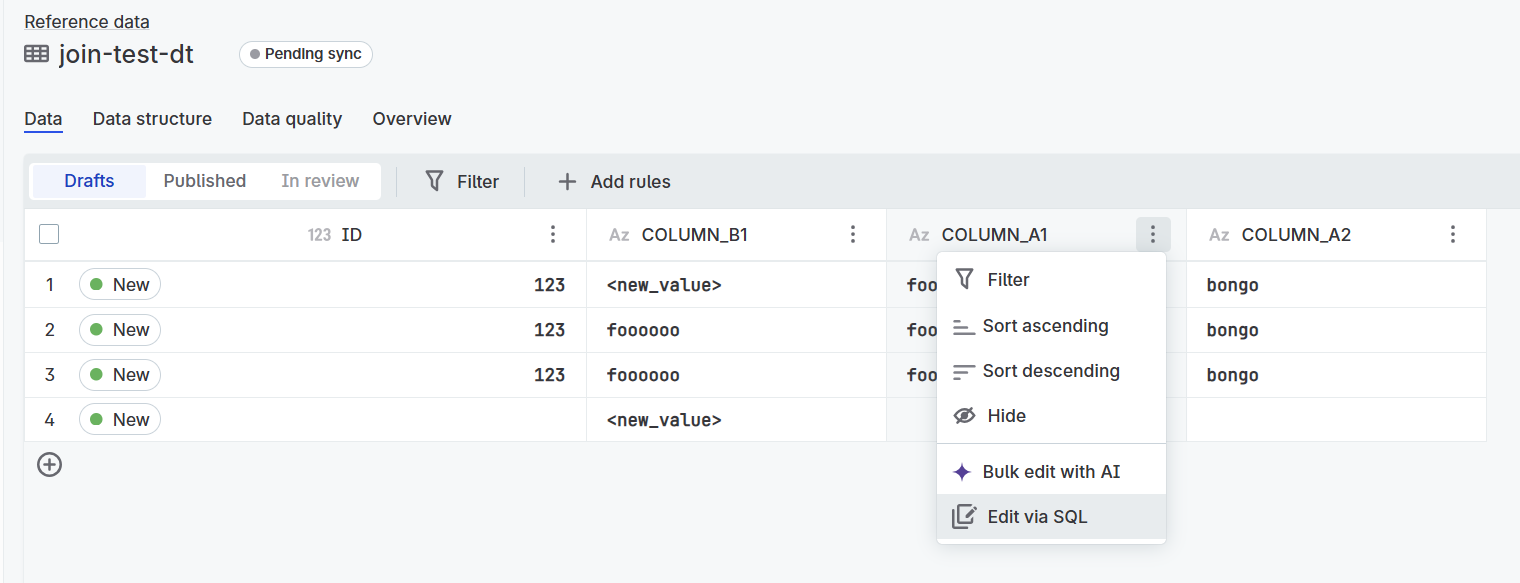
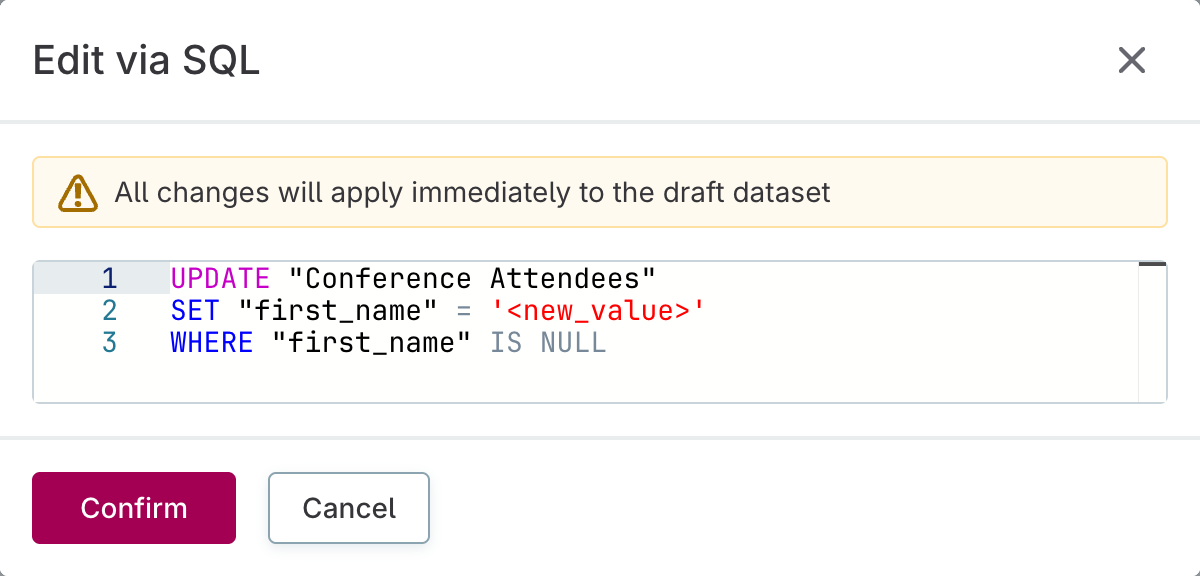
Edit columns with SQL
Update reference data columns using SQL for sophisticated data transformations beyond standard cell editing. Right-click the column header and select Edit via SQL to access the SQL editor.
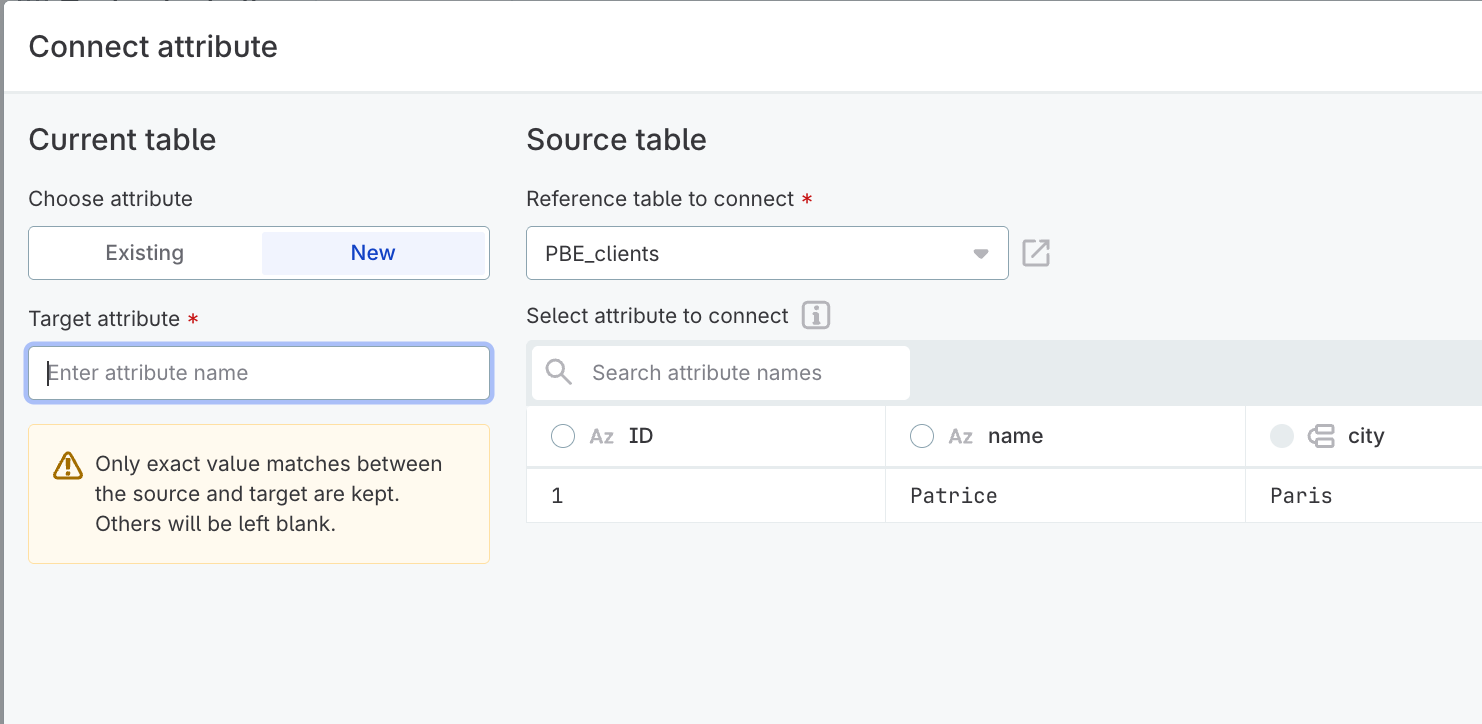
Streamlined attribute connections
Connect attributes between reference data tables more intuitively with the redesigned connection interface, featuring clearer mapping between source and target tables and enhanced validation.
For details, see Connect Reference Data Tables.
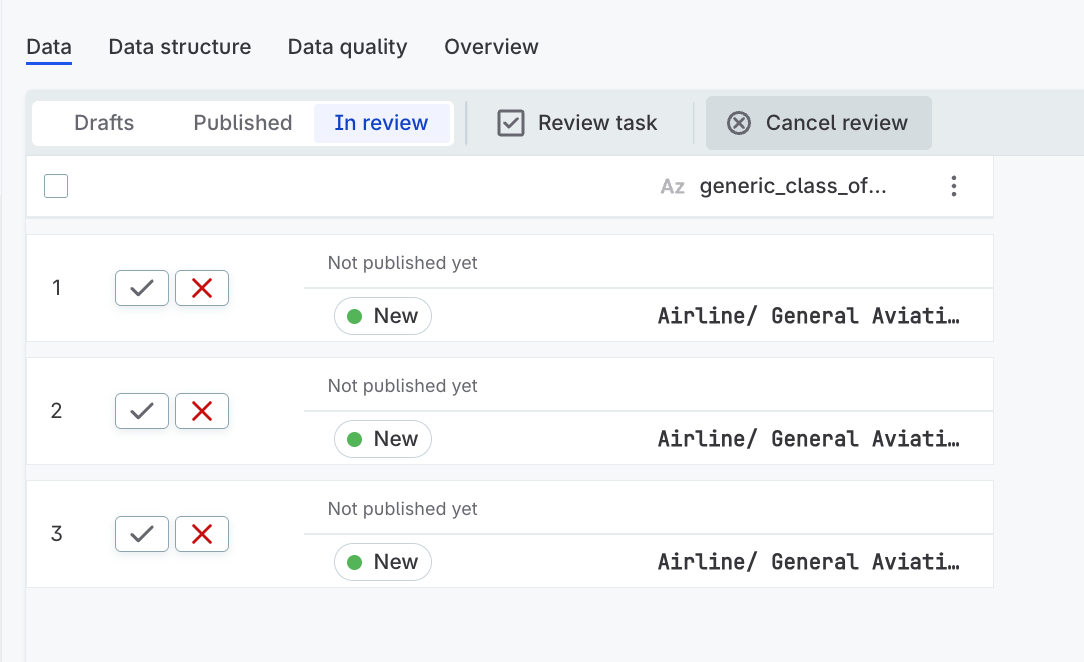
Cancel review processes
Cancel review tasks that are no longer needed to keep your task list focused and clutter-free.
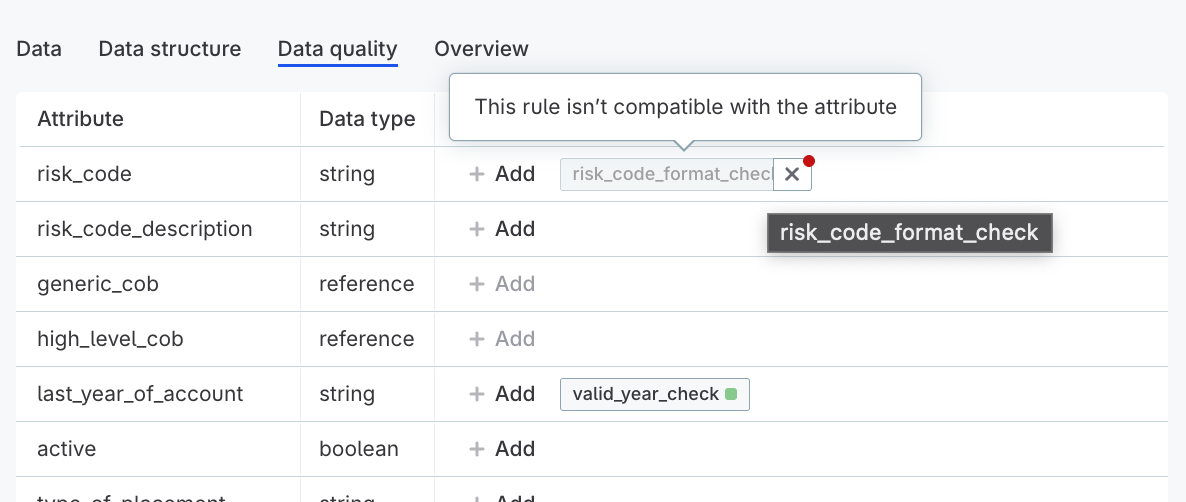
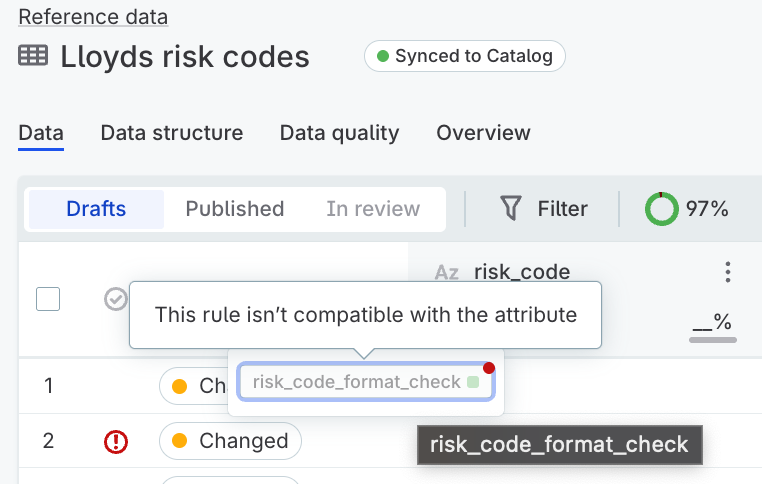
Data quality rule compatibility indicators
Stay informed when attribute changes prevent data quality rules from being applied. The platform displays clear warnings when rules can no longer run (for example, after data type changes), helping you maintain your data quality framework without configuration errors.
Compatibility indicators appear:
-
On attributes on the Data tab.
-
On the Data Quality tab when viewing table details.
Build your AI prompt library
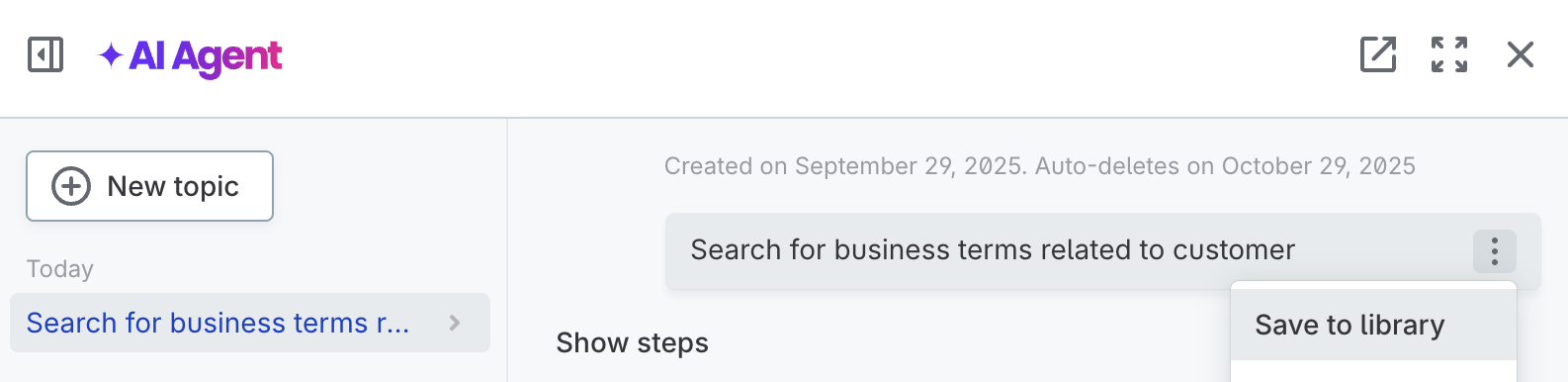
Save frequently used prompts directly from AI Agent conversations to your personal library. Reuse them for faster, consistent results on repeated tasks.
Test expressions and steps in data transformations
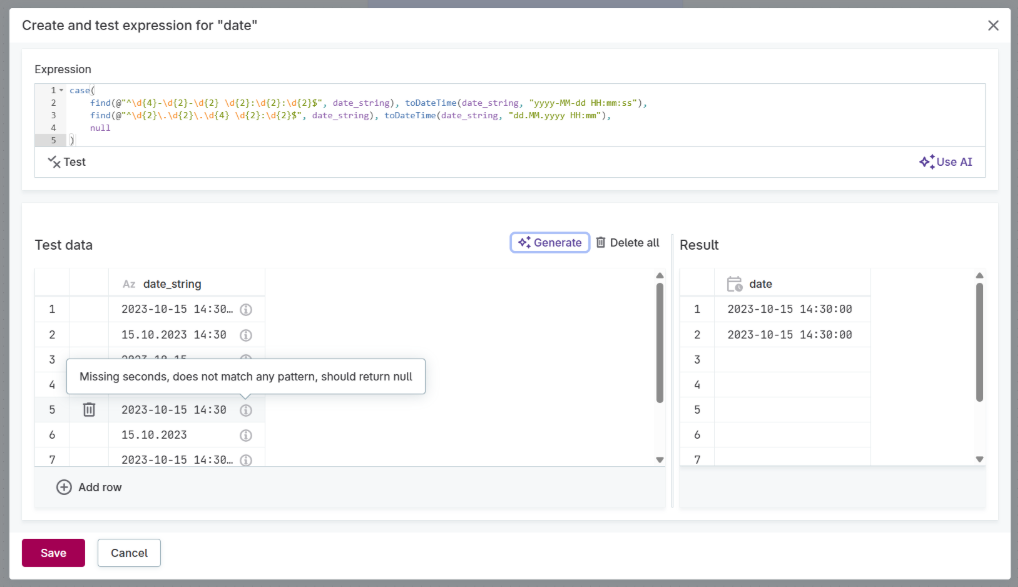
Test transformation expressions and steps with sample data before applying them to your full dataset. Instantly preview how expressions or steps modify input data without running a full plan preview.
This is especially valuable for validating AI-generated configurations before deployment.
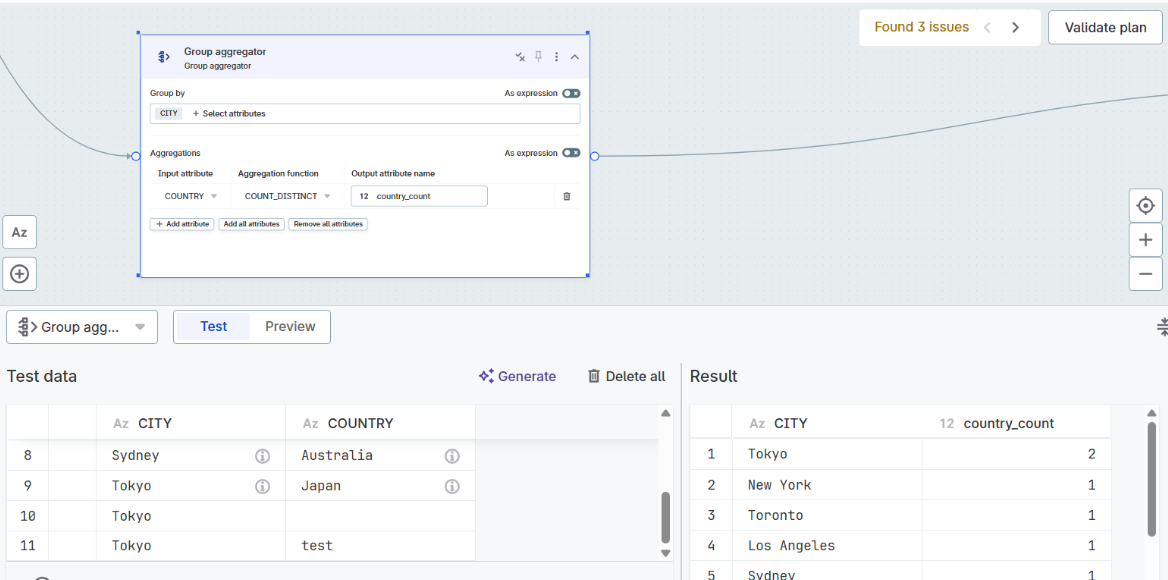
Test with confidence using:
-
Manual test data: Enter your own sample values to test specific scenarios.
-
AI-generated test data: AI analyzes your expression or step configuration, then generates relevant test scenarios, including edge cases.
-
Immediate results: See exactly how your expression handles each input value with inputs and results displayed side-by-side.
For details, see Test Expressions.
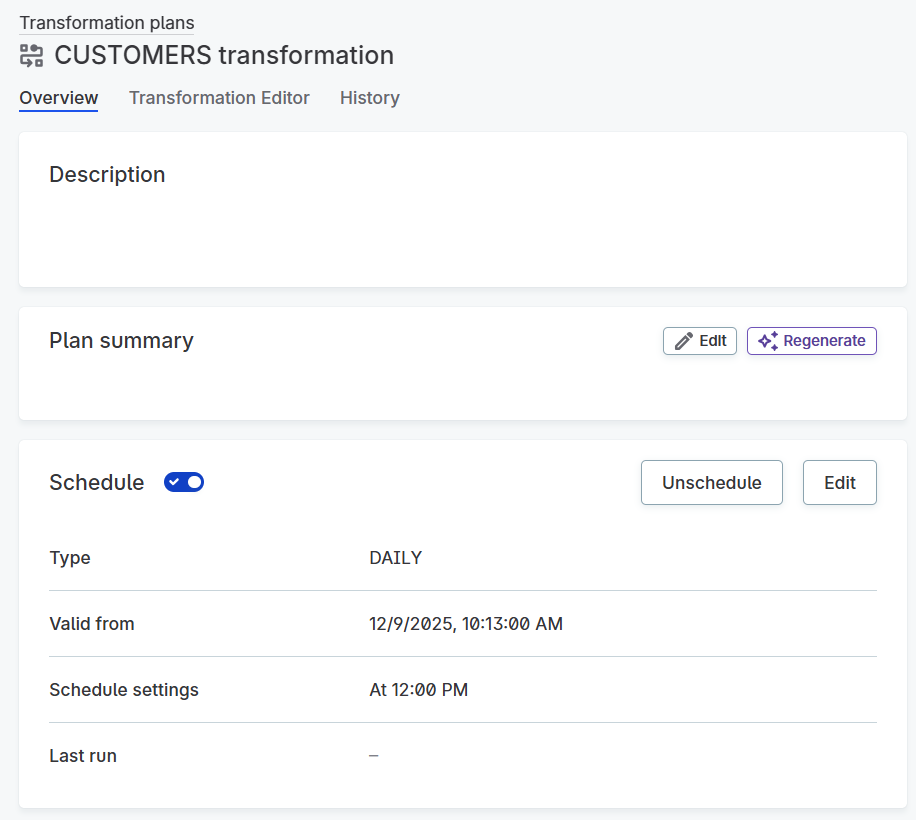
Schedule data transformations
Set up recurring execution of your data transformations using simple interval scheduling or advanced cron expressions. Run transformations automatically on your preferred schedule without manual intervention.
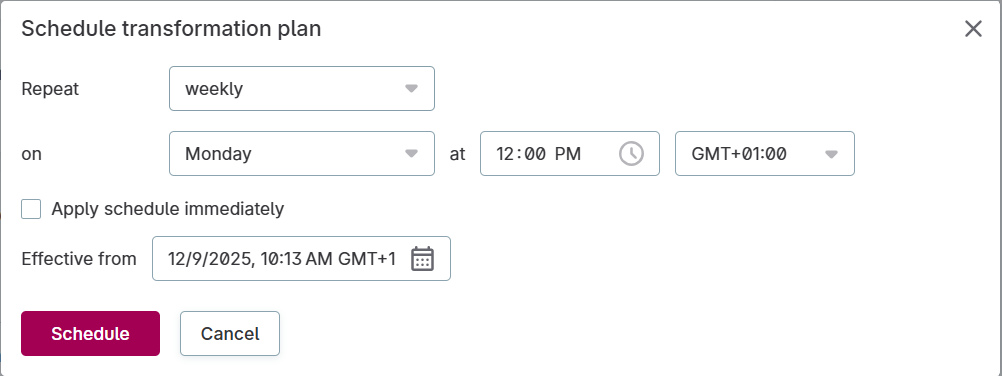
Configure schedules with flexibility:
-
Simple intervals: Choose daily, weekly, or custom interval scheduling.
-
Cron expressions: Define complex schedules with standard cron syntax.
-
Future activation: Set schedules to become active from a specific date and time.
-
Pause anytime: Temporarily stop scheduled executions without deleting the schedule.
For details, see Schedule Transformation Plans.
Was this page useful?