
Lineage Permissions
This article describes the permissions you need to have in ONE to be able to complete certain actions on lineage.
View the lineage diagram
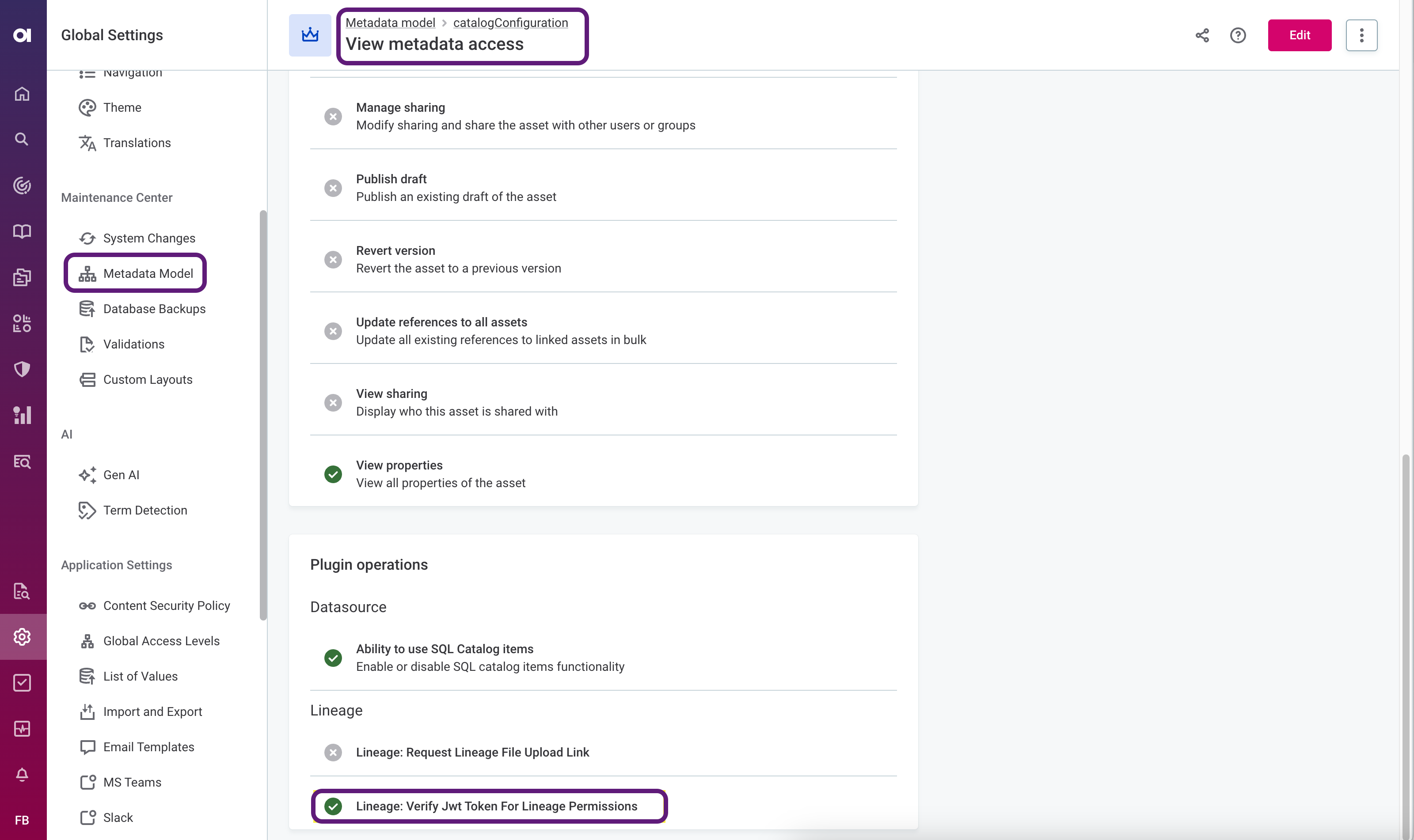
You need to have View metadata access level assigned or higher on the catalogConfiguration entity.
-
Go to Global settings > Metadata model.
To access Global settings, select the Ataccama logo. -
Find and select the
catalogConfigurationentity and switch to the Access Levels tab. -
Select View metadata access and then Edit.
-
Under Lineage, select the following permission:
Lineage: Verify Jwt Token For Lineage Permissions. -
Save your changes.
Run the built-in scanner and import lineage
You must have the Lineage: Request Lineage File Upload Link permission assigned on the catalogConfiguration entity, as well as one of the following access levels:
-
Admin access
-
Editing access
-
Operate access
For instructions, refer to View the lineage diagram.
Was this page useful?