
Constraints Configuration
Constraints help route jobs to specific Data Processing Engines (DPEs). Use them to restrict or override the individual capabilities of a DPE instance, such as which data sources it can access or which job types it can process.
About constraints
By default, each DPE has access to every available data source and file system and can be employed in any environment and for any type of jobs. The capabilities of a DPE instance are usually derived from the installed plugins and other settings.
As the capabilities of each DPE are taken into account when Data Processing Module (DPM) manages requests and assigns jobs, constraints can ensure that DPE has the resources to successfully handle incoming requests from DPM.
Constraint value format
The value of a constraining property is typically a comma-separated list of one or more string values referring to capabilities, with a straight double quote (") used as a quoting character and a backslash (\) used as an escape character.
When using capabilities with different value types as elements of an enumeration, start the property value with the type specifier enclosed in square brackets ([<type_specifier>]), for example, [pattern] or [string].
You can have multiple types of elements in an enumeration, but when using properties to set them, the same type is assumed for all enumeration elements, as defined by the type specifier.
The following type specifiers are allowed: [string], [pattern], [long], [integer], [double], [float], [boolean].
Intervals, custom types, and intervals of custom types are currently not supported.
If a constraint is defined as an environment variable, the same value type must be used for all elements of an enumeration. Nesting enumerations is not allowed. Furthermore, constraints used as environment properties accept only primitive data types that are supported by the previously mentioned type specifiers of property values.
Configure constraints
We recommend configuring constraints in DPM Admin Console:
-
To view the current capabilities of a DPE, go to DPM Admin Console > Engines > [your DPE instance] and check the Constraints section.
The section shows each capability in the format
<capability_name>=[(<value>: <data_type>), …]. Pattern values are enclosed in at signs (@). For example,com.ataccama.dpe.plugin.dataconnect.provider.type=[(SNOWFLAKE: String), (POSTGRESQL: String)]means this DPE can access Snowflake and PostgreSQL data sources, andcom.ataccama.dpe.plugin.dataconnect.jdbc.connectionstring=[(@jdbc:postgresql:.@)]means it accepts connection strings matching the patternjdbc:postgresql:.. -
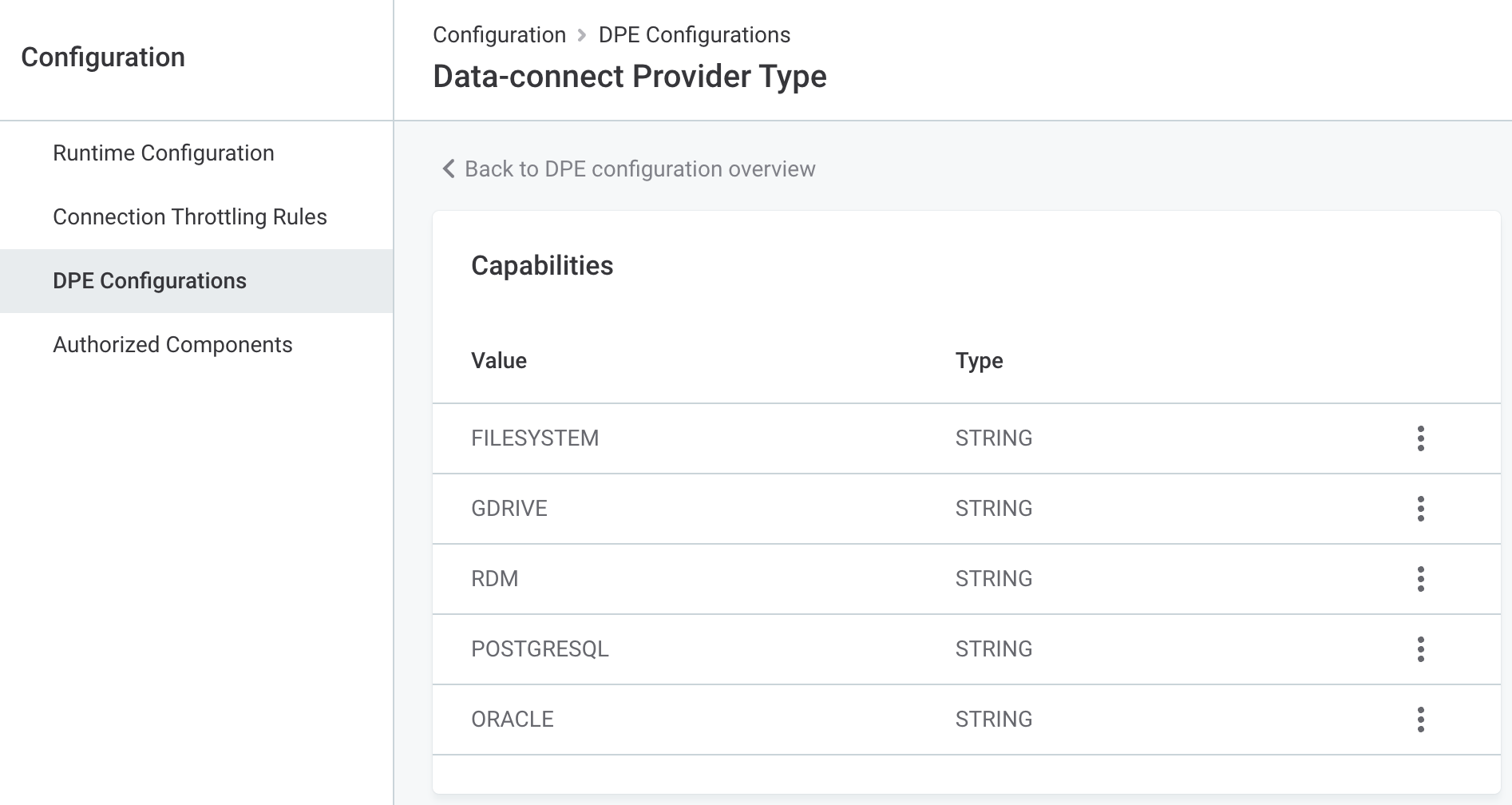
To restrict or override a capability, go to DPM Admin Console > Configuration > DPE Configurations and select the DPE label. On the Capability Overrides tab, select the capability, then select Add Capability and provide the data type and value. For instructions, see Configure capability overrides.
In self-managed, on-premise deployment, the initial values for these properties can also be provided in the dpe/etc/application.properties file, but any editing should be done only through DPM Admin Console.
Constraining properties
| Property | Data type | Description | ||
|---|---|---|---|---|
|
String |
Specifies the types of data sources that DPE can access. By default, each DPE can access any available data source. In DPM Admin Console, the current values are listed in Engines > [your DPE instance] > Constraints, in the The values are data source types, for example, Example (in |
||
|
String |
Defines the types of jobs that are directed to this DPE. In DPM Admin Console, the current values are listed in Engines > [your DPE instance] > Constraints, in the The values are job types, for example, Example (in To exclude a specific job type instead of listing all allowed ones, use a negative pattern.
For example, to prevent this DPE from processing a particular job type (here, DQ&C jobs): |
||
|
String |
Determines which file systems this DPE can access. Default value: |
||
|
String |
Specifies to which data sources DPE can connect. The allowed connection strings are provided here in the form of a pattern. You can also provide full connection strings for each data source.
Default value: |
||
|
String |
By default, DQC data source URLs do not exclude ONE jobs using their own drivers. This property restricts that behavior in order to allow using only registered DataConnect or Metastore drivers and can be used for routing jobs to a specific DPE. The value can be also set to a custom expression instead. Default value: |
||
|
String |
Determines the storage account name and the container name of the ADLS connection that should be processed by this DPE. The value of this constraint should be structured as follows: |
||
|
String |
Defines the managed identity ID in DPE. |
||
|
Boolean |
Allows authentication to Amazon S3 server with IAM credentials specified in Metadata Management Module (MMM). DPE has to be deployed in an EC2 instance for this property to be set. If set to Default value: |
Was this page useful?